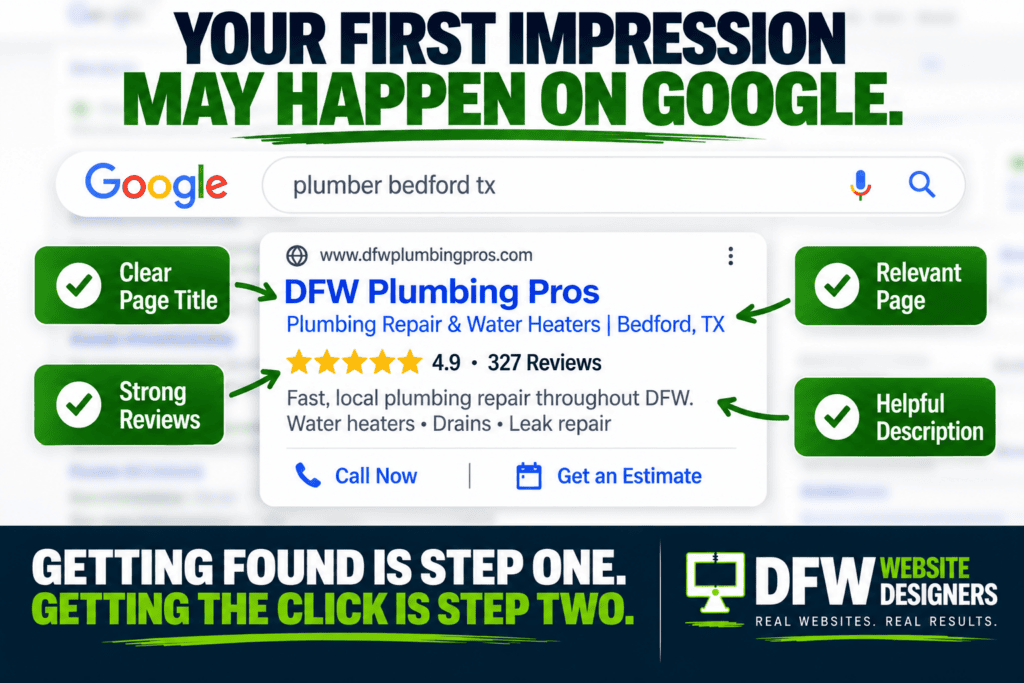
Every business owner wants more website traffic. More people finding you on Google. More visitors clicking your website. More people reading your service pages. More potential customers discovering your business. That’s great. But there’s another number that matters even more.
How many of those visitors actually become customers?
At DFW Website Designers, we’ve built more than 1,250 websites over the past 17 years, and we’ve seen businesses spend thousands of dollars trying to increase website traffic while overlooking something much simpler: The visitors they already have aren’t converting.
Before spending more money getting people to your website, make sure your website is doing everything possible to turn those visitors into leads.
Traffic Isn’t the Goal
Let’s imagine two websites. Website A receives 2,000 visitors every month and generates 10 leads. Website B receives 750 visitors and generates 30 leads. Which website would you rather own? Probably Website B.
Traffic feels good because it’s easy to measure. But traffic doesn’t pay the bills. Customers do. The real goal isn’t simply: Get more website visitors. It’s: Get the right visitors and make it easy for them to become customers.
Make It Obvious What You Do
This is where conversions begin. Someone lands on your homepage. Can they immediately determine what your business does? Not after scrolling three times. Not after reading five paragraphs. Immediately.
Your homepage should clearly communicate: What you do, Who you serve, Where you serve them, Why someone should choose you & What they should do next. Don’t sacrifice clarity for cleverness. A potential customer shouldn’t have to solve a puzzle to understand your business.
Give Visitors a Clear Next Step
Every important page on your website should answer one question: What should the visitor do next? Maybe it’s: Call Now, Request a Quote, Schedule Service, Book an Appointment, Get a Free Estimate, Contact Us or Start Your Project. That’s your call-to-action.
One of the most common website problems we see is pages that simply end. There’s useful information. There’s a nice photo. There’s some company history. And then… Nothing. Don’t leave your visitors standing at the end of the page wondering what to do. Give them a next step.
Make Your Phone Number Impossible to Miss
This is especially important for service businesses. If someone wants to call you, how quickly can they find your phone number? Ideally, almost instantly. Consider displaying it in your: Header, Mobile menu, Footer, Contact page, Service pages & Calls-to-action. And make it clickable on mobile devices.
Remember: The customer isn’t visiting your website because they want to admire your navigation menu. They probably have a problem. Make it easy for them to reach the person who can solve it.
Keep Your Contact Forms Simple
Have you ever started filling out a form and then decided it wasn’t worth the trouble? Your customers have too. Some websites practically conduct a background investigation before allowing someone to request a quote. Do you really need 14 fields? Probably not.
For many service businesses, you may only need: Name, Phone number, Email, Service needed, and maybe a Short message. You can collect additional information later. The first goal is starting the conversation.
Build Trust Before Asking for the Sale
Visitors don’t know your business yet. Before they call, they’re trying to determine whether they can trust you. That’s why trust signals are so important.
Your website might include: Google reviews, Customer testimonials, Years in business, Team photos, Before-and-after photos, Project galleries, Certifications, Awards, Professional affiliations, Guarantees & Community involvement. Think about what you’d want to know before inviting a company into your home or business. Your customers are asking the same questions.
Answer the Questions That Stop People From Calling
Sometimes customers don’t contact a business because they still have unanswered questions. Maybe they’re wondering: Do you service my city? Do you provide free estimates? How quickly can someone come out? Do you offer financing? Do you work on my particular problem? What happens after I submit the form?
Every unanswered question creates uncertainty. And uncertainty can stop someone from taking action. Good website content removes that uncertainty.
Give Every Service Its Own Page
Suppose you’re a plumber who offers: Water heater repair, Drain cleaning, Leak detection, Sewer repair, Emergency plumbing, & Fixture installation. Don’t make customers search through one giant Services page to find what they need. Give important services their own pages.
That allows you to explain: The problem, Your solution, What customers can expect, Frequently asked questions, Why they should choose you & How to schedule service. It also creates additional opportunities for those pages to appear in search results. Better for customers. Better for search engines. Better for conversions.
Make Sure Your Website Works on a Phone
A website can look incredible on a 27-inch desktop monitor and be miserable to use on a phone. That’s a serious problem. Mobile visitors should easily be able to: Read your content, Navigate your website, Tap your phone number, Submit a form, View photos, Find services, Request a quote, & Test your own website occasionally. Don’t just look at it. Use it.
Pretend you’re a customer and try to complete the actions you want customers to take. You may be surprised by what you discover.
Speed Matters
Your website can’t convert someone who leaves before it loads. Large images, unnecessary plugins, bloated scripts, poor hosting, and technical problems can all slow a website down.
A beautiful homepage isn’t much help if visitors are staring at a loading screen. Speed is part of the customer experience.
Stop Sending Everyone to the Homepage
This is particularly important when running ads or marketing specific services. If someone clicks an advertisement for water heater repair, don’t automatically send them to a generic homepage. Send them to a page about water heater repair. If you’re promoting commercial insurance, send them to your commercial insurance page.
If you’re targeting customers in Grapevine, a relevant local page may provide a better experience than a generic homepage. Match the landing page to the customer’s intent. The fewer steps between “I need this” and “This company provides it,” the better.
Don’t Forget About Local Customers
For local service businesses, geography matters. Visitors want to know: Do you actually serve my area? Make your service areas clear.
Depending on the business, dedicated city pages can help explain:
- Services offered in that community
- Areas or neighborhoods served
- Local experience
- Relevant projects
- Frequently asked local questions
That creates a more relevant experience for both search engines and potential customers.
Measure What Happens After the Click
If you don’t measure anything, it’s difficult to know what’s working. At minimum, businesses should understand things such as: How many people visit the website? Which pages receive traffic? Where do visitors come from? Which pages generate inquiries? Are visitors using mobile or desktop? Are people clicking the phone number? Are contact forms being submitted?
Google Analytics and Google Search Console can provide valuable information about how people discover and use your website. Don’t make every marketing decision based on a guess.
Sometimes You Don’t Need More Traffic
This may be the most important point. When leads slow down, the natural reaction is: “We need more traffic.” Maybe. But what if your website already receives enough visitors? What if the real problem is that those visitors aren’t taking action? Improving conversions can sometimes be more valuable than increasing traffic. Think about it.
If you double your traffic but your website still does a poor job converting visitors, you’ve simply sent twice as many people to an ineffective website. Fix the bucket before adding more water.
Small Changes Can Produce Big Improvements
Conversion optimization doesn’t always require a massive redesign. Sometimes the improvement is surprisingly simple: Move the phone number higher. Add a stronger headline. Shorten the contact form. Add recent reviews. Create a service page. Add a city page. Improve the mobile menu. Add a Call Now button. Answer common questions. Improve page speed. One change may not transform your business overnight.
But dozens of smart improvements made over time can create a significantly stronger website.
Final Thoughts
More visibility is good. More website traffic is good. But those are steps toward the real objective: More customers. Your website should help move potential customers through a simple journey:
Visibility → Traffic → Trust → Lead → Customer
If that journey breaks anywhere along the way, you’re leaving opportunities on the table. A strong website doesn’t simply attract visitors. It helps those visitors feel confident enough to take the next step. Because ultimately, your website isn’t there just to get clicks. It’s there to help grow your business.
Are Your Website Visitors Becoming Customers?
If you’re getting website traffic but not enough phone calls, quote requests, or appointments, there may be opportunities you’re missing.
Our FREE Search-Ready Tune-Up reviews your website for many of the issues that can affect visibility, usability, SEO, conversions, local search, technical performance, and AI search readiness.
We’ll show you what we find and explain it in plain English. You may need a redesign. You may simply need a few strategic improvements. Either way, the goal is the same: More visibility. More leads. More customers. A stronger business.