Congratulations! Your business showed up on Google. We’re done! Everybody go home. Except… there’s one small problem.
THE CUSTOMER STILL HAS TO CLICK.
Business owners spend a lot of time asking: “Where do I rank on Google?” That’s a reasonable question. But there’s another question that doesn’t get nearly enough attention:
“IF I SHOW UP… WHY WOULD SOMEONE CLICK ME?”
Because your customer probably isn’t looking at your search result by itself. They’re looking at: You. Competitor #1. Competitor #2. Competitor #3. Maybe a map result. Maybe an ad. Maybe another organic result. Maybe a directory.
Maybe a giant company they’ve heard of before. Getting onto the page gives you an opportunity. It doesn’t automatically give you the click. At DFW Website Designers, we like to think about it this way:
GETTING FOUND IS STEP ONE.
GETTING THE CLICK IS STEP TWO.
And there’s a lot you can do to improve both.
Your First Impression May Happen Before Someone Visits Your Website
This is easy to forget. We spend hours discussing: Homepage designs. Colors. Photos. Navigation. Calls to action. Service pages. Reviews. Forms. Mobile layouts. All of those things matter. But your customer’s first impression of your website may happen before your website even loads. They search:
plumber Bedford TX
and see several choices. One result might communicate: DFW Plumbing Pros, Plumbing Repair & Water Heaters | Bedford, TX Another might say: Home | ABC Company Another: Services Another: Untitled Which one immediately tells the customer: “This might be what I’m looking for”? That’s what we’re talking about today.
Google Is Not Just a Ranking Page
Google Search is a decision page. Your customer is scanning. They’re asking: Is this relevant? Does this company do what I need? Are they near me? Do they look trustworthy? Does this result answer my question? Have other people used them? Should I click? And they’re making those decisions quickly. So we need to think beyond:
“Did Google show my website?”
and start thinking:
“What did Google show ABOUT my website?”
That’s a much better question.
Search Result #1: The Mystery Business
Imagine someone searches for: water heater repair Bedford TX They see:
ABC PLUMBING
Home | ABC Plumbing
Welcome to our website. We provide a wide range of professional services to customers throughout the area. Contact us today to learn more.
Okay. What kind of services? Do you repair water heaters? Are you actually in Bedford? Do you replace water heaters? Do you offer emergency service? Why should I click? The customer has to investigate. That’s work. Now compare it with:
ABC PLUMBING
Water Heater Repair & Replacement | Bedford, TX
No hot water? We repair and replace gas and electric water heaters throughout Bedford and Northeast Tarrant County. Request service today.
Ah. Now I know something. The second result feels more relevant because it’s communicating directly with the searcher’s problem.
Search Intent Matters
This connects directly to Tuesday’s lesson:
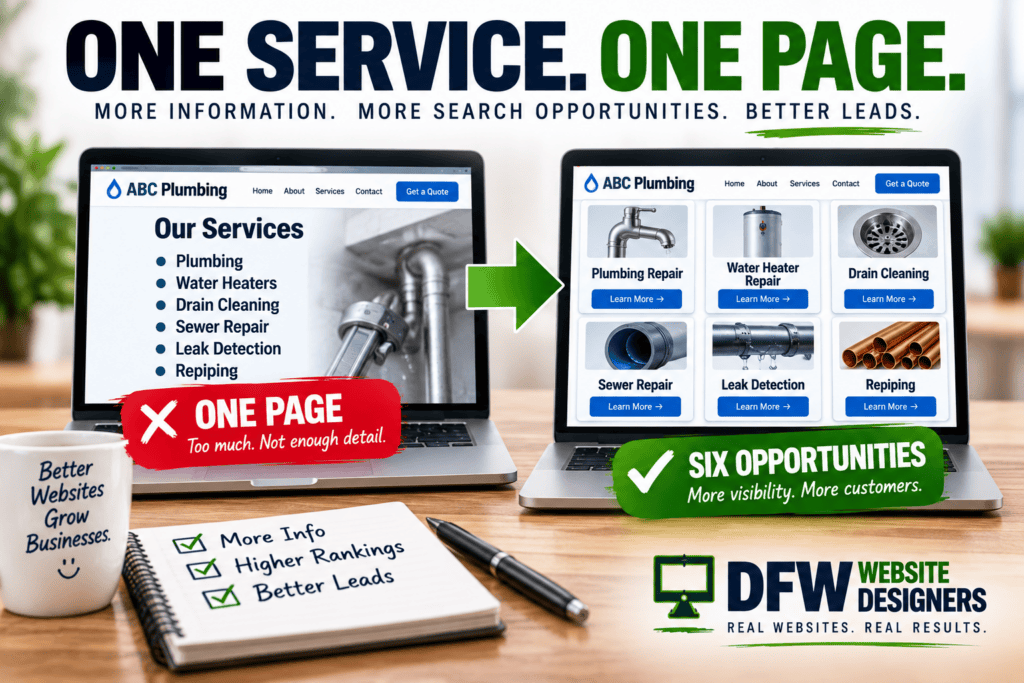
ONE SERVICE. ONE PAGE.
Why did we recommend giving major services their own pages? Because customers search for specific things. Someone doesn’t necessarily search: plumber They may search: water heater repair, clogged drain plumber, sewer line repair, slab leak detection, emergency plumber & tankless water heater installation.
Those searches represent different needs. If you have one giant Services page trying to cover everything, Google has one broad page to work with. If you have useful individual service pages, you’ve created pages specifically focused on those topics. That can make the search journey much more logical:
Customer searches for water heater repair. -> Customer sees water heater repair page. -> Customer clicks water heater repair page. -> Customer gets water heater repair information. -> Customer requests water heater service.
Beautiful.
Your Page Title Matters
One of the first things people may notice in a traditional organic search result is the title.
Google refers to the prominent clickable headline of a search result as a title link.
Google can use several sources to generate title links, including the page’s <title> element, visible page title, headings, other prominent text and links pointing to the page.
That’s an important distinction:
YOU CAN INFLUENCE THE SEARCH RESULT.
You don’t completely control it. Google may generate or adjust what appears based on the page and the search. But that doesn’t mean you shouldn’t give Google strong information to work with. So instead of:
Services | ABC Plumbing
consider something more descriptive:
Water Heater Repair & Replacement | ABC Plumbing
Instead of:
Home
consider:
DFW Commercial Roofing | ABC Roofing
The goal isn’t to stuff every keyword imaginable into the title. It’s to make the page’s purpose clear.
Please Don’t Turn Your Title Into a Keyword Dumpster
Naturally, somebody will read the last section and decide this is the correct page title:
Plumber Bedford TX | Bedford Plumber | Plumbing Bedford TX | Best Plumber Bedford | Plumber Near Me Bedford TX | ABC Plumbing No. Remember Wednesday?
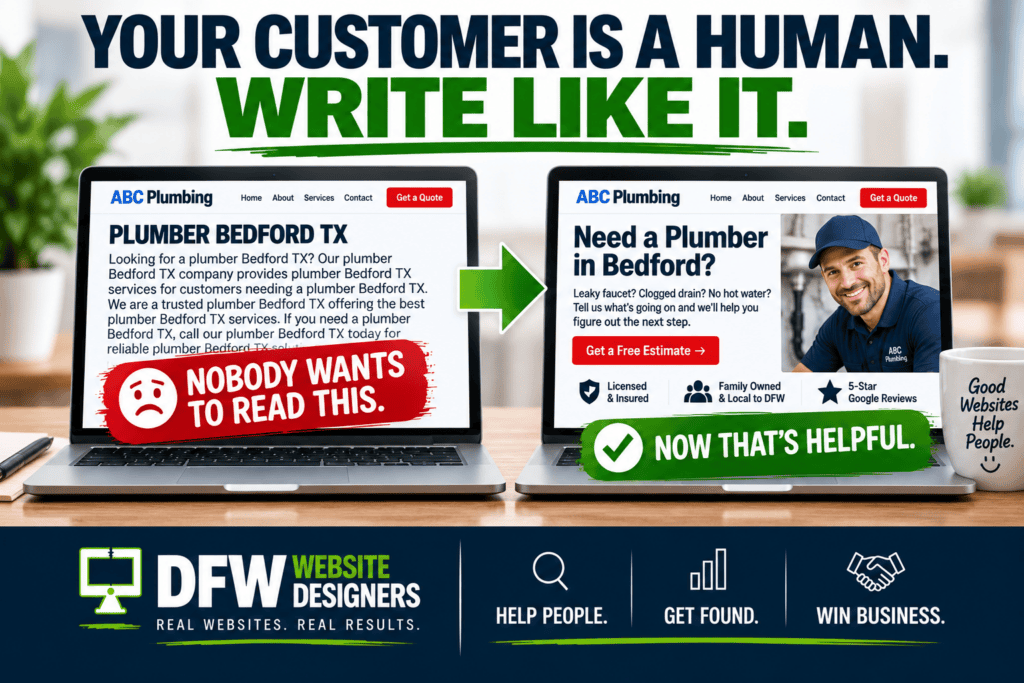
YOUR CUSTOMER IS A HUMAN. WRITE LIKE IT.
Search optimization shouldn’t make your website sound ridiculous. A good title should be: Descriptive. Concise. Relevant. Readable. Specific to the page. You don’t need to scream every possible keyword variation at Google. Tell Google—and the customer—what the page is actually about.
Don’t Use the Same Title Everywhere
Here’s another common problem. Every page: ABC Plumbing Homepage: ABC Plumbing Water Heater page: ABC Plumbing Drain Cleaning page: ABC Plumbing Sewer Repair page: ABC Plumbing Contact page: ABC Plumbing
Google:
“Thanks. Very informative.”
Your pages have different purposes. Their titles should reflect that. For example: Homepage:
ABC Plumbing | Plumbing Services in Bedford, TX Water Heaters: Water Heater Repair & Replacement | ABC Plumbing Drain Cleaning: Drain Cleaning Services | ABC Plumbing Sewer Repair: Sewer Line Repair | ABC Plumbing Leak Detection: Leak Detection Services | ABC Plumbing
Now the site architecture makes more sense to humans and search engines.
What About the Description Under the Result?
Google may display a snippet underneath the title. Sometimes that snippet comes from content on your page. Sometimes Google may use your meta description when it believes that description accurately summarizes the page. Again: You can provide good information. Google ultimately decides what snippet is appropriate for a particular search.
So your meta description isn’t: “Write these 160 characters and Google promises to display them forever.” That’s not how it works. Think of it as: Give Google a useful summary to consider.
Write Descriptions for People
A bad description:
ABC Plumbing provides plumbing plumber services in Bedford TX for Bedford plumbing customers needing Bedford plumbers.
Somewhere, a customer just closed Chrome. Try:
Need a plumber in Bedford? We provide water heater repair, drain cleaning, leak detection and plumbing repairs throughout Northeast Tarrant County.
That’s useful. It tells me: What you do. Where you do it. What kinds of problems you solve. Again: Human first.
Don’t Make Every Description the Same
This is the meta-description version of the previous problem. If every page says:
ABC Company provides high-quality professional services. Contact us today for more information.
you’re wasting an opportunity. Your drain-cleaning page should describe drain cleaning. Your water-heater page should describe water heaters. Your commercial page should describe commercial work. Your About page should describe the company. Different page. Different purpose. Different summary.
The Search Result Should Match the Page
Here’s where businesses sometimes get too clever. Suppose you convince someone to click:
24-Hour Emergency Plumber in Bedford
But they land on a generic homepage where they can’t find: Emergency plumbing. Bedford. After-hours information. A phone number. Or anything explaining emergency service. That’s a terrible experience. Getting the click isn’t enough either. The search result makes a promise.
THE PAGE SHOULD KEEP IT.
If the result says: Water Heater Repair I should land on: Water Heater Repair. Not your homepage. Not your About page. Not your general Services page. The most relevant page should continue the conversation.
Think of Google as the Beginning of the Sales Conversation
Customer:
“I need someone to fix my water heater.”
Your search result:
“We repair water heaters in Bedford.”
Customer:
“Interesting.”
Click. Your service page:
“No hot water? Here’s what may be happening, what we repair, what replacement options exist and how to schedule service.”
Customer:
“These people understand my problem.”
That’s a conversation. Google introduced you. Your search result got their attention. Your page continued the conversation. Your website built trust. Your call to action created the lead. That’s how all these pieces fit together.
Reviews Can Influence the Decision Before the Click
For local businesses, your Google Business Profile can play a major role in the customer’s decision. Think about what someone may see: Business name. Rating. Number of reviews. Hours. Phone. Location. Photos. Services. Business category. Website. Directions. Other information. Yesterday we talked about:
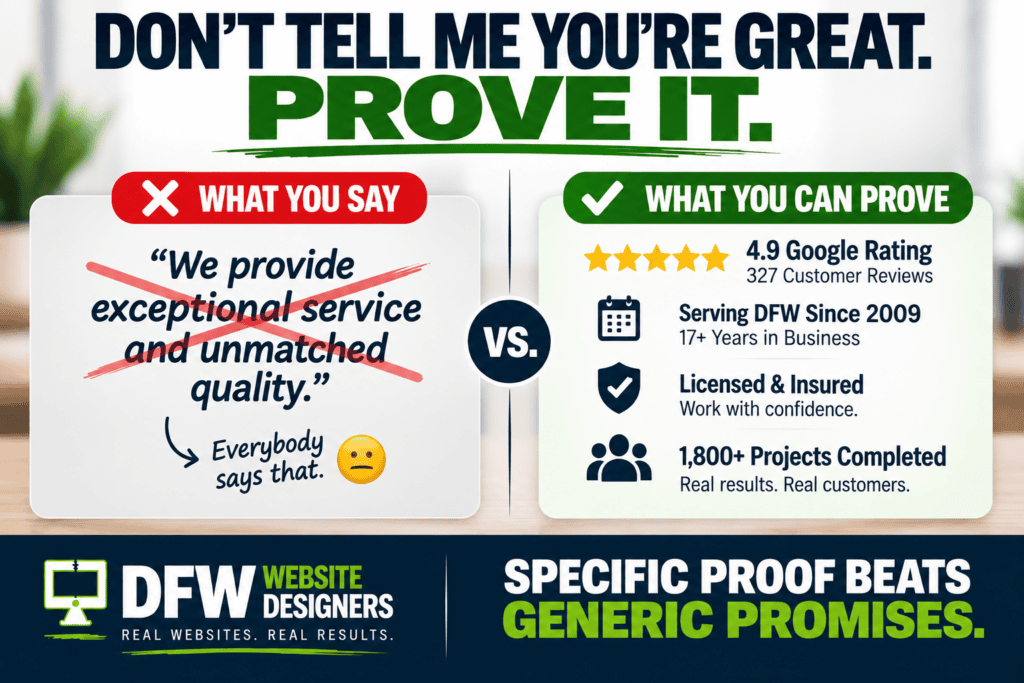
PROOF BEATS PROMISES.
Well… there’s your proof again. Compare: ⭐⭐⭐⭐⭐ 5.0 — 7 Reviews with: ⭐⭐⭐⭐⭐ 4.9 — 327 Reviews
The customer gets information before ever visiting the website. That’s why your website and Google Business Profile shouldn’t be treated as two unrelated marketing projects. They’re part of the same customer journey.
Reviews Are Part of Your Search Presence
Business owners sometimes think: Website = website company and: Google Business Profile = something else and: Reviews = customer service and: SEO = keywords No. From the customer’s perspective, it’s all:
YOUR BUSINESS.
They don’t care which department owns which piece. They search your name. They see your reviews. They see your website. They see your photos. They see your social accounts. They form an opinion. Your online presence needs to work together.
Your Business Information Needs to Be Accurate
This seems basic. Yet we still find: Old phone numbers. Wrong hours. Old addresses. Closed locations. Outdated services. Old company names. Broken website links. Businesses move. Employees leave. Phone systems change. Hours change. Services change. Websites get redesigned. Your online information needs maintenance.
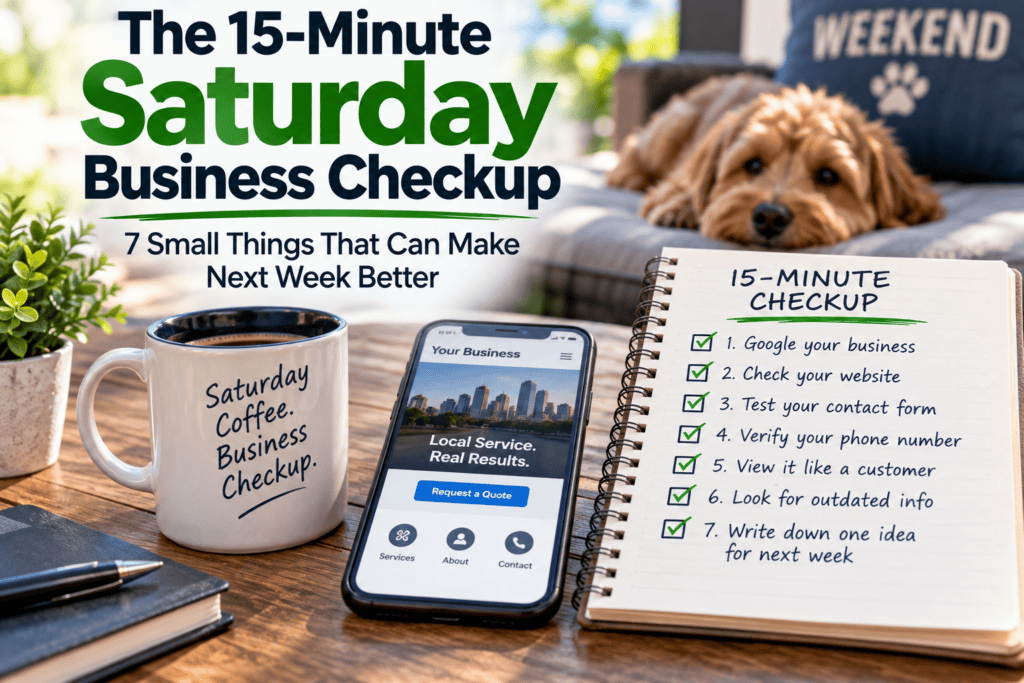
Remember Saturday’s lesson?
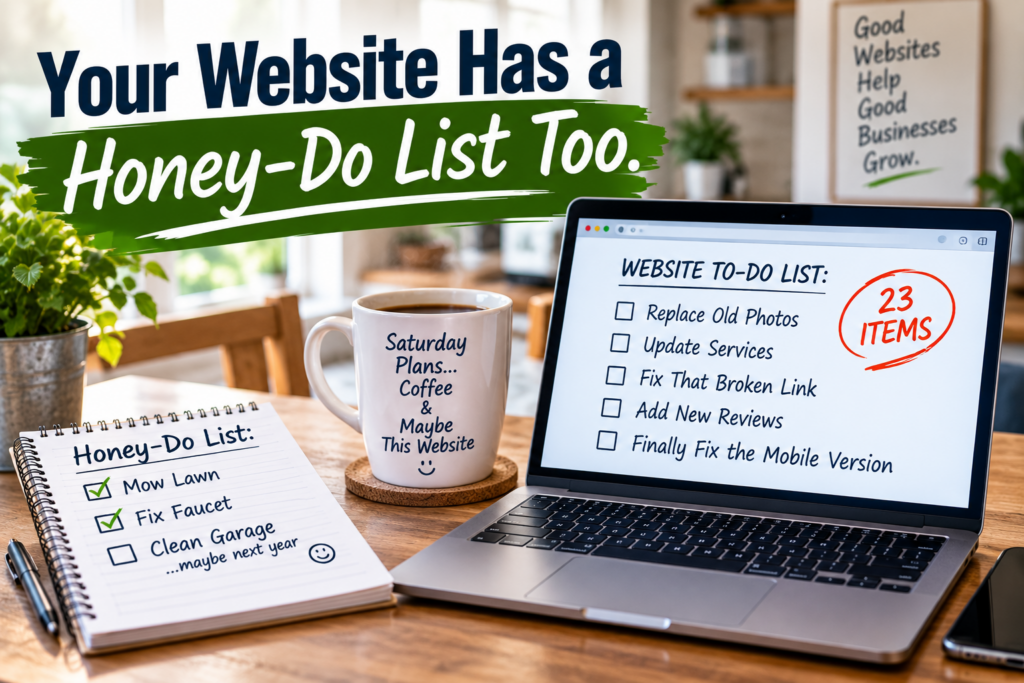
YOUR WEBSITE HAS A HONEY-DO LIST TOO.
So does your overall search presence.
The Page Itself Still Has to Be Good
Let’s say we did everything right. The customer searches. You appear. Your title looks relevant. Your snippet sounds helpful. They click. And then… your website takes forever to load. Or: The mobile layout is broken. The phone number doesn’t work. The page contains three sentences. The navigation covers half the screen. The contact form has 19 required fields. The page is from 2017. The customer clicks Back.
Search visibility doesn’t fix a bad website. It exposes it.
Mobile Matters Because Search Happens Everywhere
Your customer might be searching: From the couch. In the parking lot. At work. Inside a broken-down car. Standing next to a leaking water heater. Sitting in a restaurant. Walking around their new house. They may not have a 32-inch monitor and fifteen minutes to admire your homepage.
They have a phone. And a problem. Your experience needs to work there.
Speed Is Part of the Experience
Imagine this sequence: Customer searches. Customer sees you. Customer clicks. Customer waits. … … … Customer goes back. That’s painful because you did the hard part. You earned enough interest for the click.
Then lost them while the page loaded. Your marketing system is only as strong as the weakest step.
The URL Can Help Communicate Relevance Too
Clean URLs make sense to humans. Compare: abcplumbing.com/?page_id=1847 with: abcplumbing.com/water-heater-repair/ Which one communicates more clearly?
The second. Your URL doesn’t need to contain every keyword imaginable. It should simply make sense.
Your Content Needs to Deliver on the Search
Let’s continue our water-heater example. Someone searches: Should I repair or replace my water heater? You have a blog: Water Heater Repair vs. Replacement: 7 Things to Consider Perfect. The customer clicks. That article should answer the question. Not spend 900 words telling them:
ABC Plumbing is a premier provider of world-class plumbing solutions.
Answer the question. Help the customer. Demonstrate expertise. Then show them the logical next step:
Still not sure? We can inspect your water heater and explain your repair and replacement options.
Helpful content creates a bridge to business.
Search Results and Your Content Strategy Are Connected
This is why blogging can matter. Every useful article creates another potential entry point into your website. Maybe someone doesn’t search: ABC Plumbing Maybe they search: Why does my water heater make popping noises? And you wrote: Why Your Water Heater Is Making a Popping Noise
Now you’ve created an opportunity to meet a customer while they’re researching the problem. That’s powerful.
Don’t Write 100 Junk Articles Just to “Have Content”
This needs to be said. Content volume isn’t the goal. Useful content is. Ten genuinely helpful articles can be more valuable to your business than 200 generic posts nobody would voluntarily read.
Before publishing, ask: Would I send this article to an actual customer? If the answer is:
“Absolutely not. It’s just for Google.”
You may want to rethink it.
Your Service Pages Are Often Your Money Pages
Blogs can attract informational searches. But service pages often connect directly to commercial intent. Someone searching: roof repair Bedford TX isn’t researching the history of shingles. They probably have a roof problem. That’s why Tuesday’s:
ONE SERVICE. ONE PAGE.
is so important. Give your major services proper pages. Make them useful. Make them specific. Make them relevant. Give customers a clear next step.
Your Homepage Doesn’t Need to Rank for Everything
This is another mindset shift. Business owners often want the homepage to rank for: Every service. Every city. Every variation. Every problem. Every possible search. Poor homepage.
That’s too much responsibility for one page. Build a website structure where different pages have different jobs. Homepage: Who you are and your major value proposition. Service page: Specific service. City/service-area page: Useful local information when genuinely warranted. Blog: Specific question or educational topic. About: Company story and credibility. Contact: How to reach you. Now Google has an actual website to understand instead of one page trying to be the entire internet.
City Pages Can Create Search Opportunities—When They’re Useful
Local businesses naturally want to appear in multiple cities. That makes sense. If you legitimately serve: Bedford. Euless. Hurst. Colleyville. Grapevine. Southlake. Fort Worth. Arlington. you may have opportunities to create useful local content.
But don’t build: Plumber Bedford then copy it to: Plumber Euless then: Plumber Hurst and change nothing except the city name. That’s not helpful. A city page should earn its existence. Include meaningful local context where appropriate: Services offered there. Actual service-area information. Local projects. Testimonials from that area. Relevant neighborhoods. Common local questions. Real photos. Useful contact information. Again:
HELP THE CUSTOMER FIRST.
Structured Data Can Help Search Engines Understand Information
There are technical ways to provide search engines with structured information about content and businesses. Google supports structured data for a variety of search features and content types. But here’s the important small-business takeaway: Structured data isn’t magic SEO fairy dust. Adding code doesn’t suddenly make a bad page great.
Technical SEO should support: Good content. Clear structure. Accurate information. Useful pages. Strong user experience. It’s an enhancement. Not a substitute.
Search Appearance Isn’t Completely Under Your Control
This is important. We can optimize: Titles. Page structure. Content. Meta descriptions. Structured information. Images. Business information. But Google ultimately determines how search results appear. Different users may see different presentations. Different searches can produce different snippets. Google can rewrite title links or select page text it believes better fits a search. So be careful with anyone promising:
“We guarantee Google will display exactly this.”
You can influence. You can optimize. You can’t dictate every pixel.
So What CAN You Control?
Quite a lot. You control whether your website has: Useful pages. Clear page titles. Logical headings. Accurate information. Helpful descriptions. Good content. Strong internal linking. Fast loading. Mobile-friendly design. Real reviews. Good photography. Clear calls to action.
Relevant service pages. A maintained Google Business Profile. Consistent branding. Good customer service. And that’s plenty to work on.
Don’t Obsess Over One Keyword
Another mistake:
“Fred! We moved from #5 to #4 for ‘plumber Bedford TX’!”
Great. Did the phone ring? Rankings can be useful diagnostic information. But your business ultimately needs: Traffic. Leads. Calls. Appointments. Quotes. Sales. Customers. A ranking isn’t revenue. It’s one step in the path.
Measure the Whole Road
Think back to last Friday’s lesson:
FROM SEARCH TO SUCCESS.
The road looks something like: SEARCH -> IMPRESSION -> CLICK -> WEBSITE VISIT -> ENGAGEMENT -> CONTACT -> LEAD -> FOLLOW-UP -> CUSTOMER
If you only measure ranking, you’re measuring one sign along the highway. You need to understand the trip.
Lots of Impressions but Few Clicks?
That’s worth investigating. Maybe: Your page isn’t relevant enough. The title isn’t compelling. The snippet isn’t useful. The search intent doesn’t match the page. Competitors have stronger recognition. The search result itself answers the question. The query isn’t commercially relevant.
You’re appearing for searches that don’t fit the business. There are many possibilities. Don’t immediately assume: “SEO isn’t working.” Investigate.
Lots of Clicks but No Leads?
Different problem. Now look at: Page quality. Offer. Message. Trust. Calls to action. Mobile experience. Form. Phone number. Pricing expectations. Content. Service fit. Website speed.
That’s a conversion problem, not necessarily a search visibility problem.
Lots of Leads but Few Customers?
Different problem again. Remember Thursday last week?
HOW FAST ARE YOU RESPONDING?
Maybe the website works beautifully. But nobody calls the lead until tomorrow. Now you have a sales-process problem. This is why digital marketing can’t be reduced to: “Get me to #1 on Google.” The system is bigger than that.
Friday’s Google Search Test
Here’s today’s assignment. Open an incognito/private browser window. Search for several things a real customer might search for. Don’t just search your company name. Search: Your main service + city, Another service + city, A problem you solve & A question customers ask. Now look at your result—if it appears. Ask:
1. DOES THE TITLE MAKE SENSE?
Can someone tell what the page is about?
2. DOES THE RESULT MATCH THE SEARCH?
Is it actually relevant?
3. DOES THE DESCRIPTION HELP?
Would a human understand why to click?
4. ARE YOU SENDING THEM TO THE RIGHT PAGE?
Service search → service page.
5. HOW DO YOU LOOK BESIDE COMPETITORS?
Don’t just stare at yourself. Look at the whole page.
6. WHAT WOULD MAKE YOU CLICK?
Pretend you’ve never heard of your company. Would you choose it? Why? That’s the test.
Then Search Your Business Name
Now search: Your Company Name What do you see? Website? Google Business Profile? Reviews? Social accounts? Directories? Old pages? Wrong information? Outdated photos? Something weird from 2014?
That’s your digital storefront. Clean it up.
Your Website Begins Before the Website
That’s the larger point. We often think:
Website experience starts when the homepage loads.
Not anymore. The customer journey may begin with: A Google search. A map result. A review. A social post. A blog article. An AI-generated answer. A referral followed by a brand search. A service page. Your website isn’t an isolated brochure. It’s part of a larger discovery system.
This Week’s Lessons All Connect
We’ve covered a lot this week.
MONDAY:
You Have 5 Seconds. Does Your Website Make Sense? Clarity.
TUESDAY:
One Service. One Page. Structure.
WEDNESDAY:
Your Customer Is a Human. Write Like It. Helpful content.
THURSDAY:
Don’t Tell Me You’re Great. Prove It. Trust.
FRIDAY:
GETTING FOUND IS STEP ONE. GETTING THE CLICK IS STEP TWO.
Discovery. Put those together: Get found. Earn the click. Make your business obvious. Take customers to the right page. Answer their questions like a human. Give them proof. Make contacting you easy. That’s a website doing its job.
Don’t Just Show Up. Give Them a Reason to Click.
Your customer searches:
plumber Bedford TX
Google gives them choices. Your search result quietly raises its hand:
“Hopefully me.”
But hope isn’t a marketing strategy. Give customers a reason. A clear title. A relevant page. A useful description. Strong reviews. Accurate information. Helpful content. A website that delivers on the promise after the click.
At DFW Website Designers, we’ve spent 17+ years building websites for businesses throughout DFW. We’ve built 1,250+ websites. And one lesson keeps showing up:
A BEAUTIFUL WEBSITE NOBODY FINDS DOESN’T HELP MUCH.
But neither does:
A WEBSITE EVERYBODY FINDS AND NOBODY CHOOSES.
You need both sides working together. Visibility. Relevance. Trust. Conversion. So this Friday, search for your own business the way a customer would. Look at the choices. And ask yourself one simple question:
WOULD I CLICK ME?
If the answer isn’t obvious… we’ve got some work to do. DFW Website Designers Real Websites. Real Results. Get Found. Get the Click. Get the Customer.