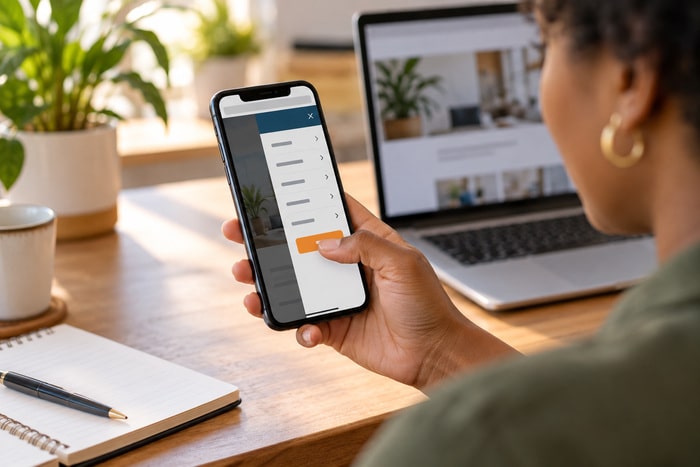
DING! New website lead. Sarah M. AC Replacement. Bedford, Texas. Received: 10:04 AM. Great news. Your website worked. Someone found you. They landed on the right page. They read about your service. They trusted you enough to provide their contact information. They clicked: REQUEST A QUOTE. Now there’s only one problem. What happens next?
At DFW Website Designers, we’ve spent 17+ years building more than 1,250 websites, and we talk constantly about generating leads. But generating the lead isn’t the finish line. It’s the handoff. Your website just handed your business a potential customer. The clock is ticking.
A Lead Is Not a Customer
This sounds obvious, but it’s an important distinction. Website traffic isn’t a lead. A lead isn’t an appointment. An appointment isn’t a sale. And a sale isn’t necessarily a long-term customer. Each step requires something to happen. A business can spend thousands of dollars generating traffic through: SEO. Google Ads. Facebook Ads. Social media. Blogging. City pages. Email marketing. Direct mail.
Then the website successfully turns some of those visitors into leads. Wonderful. But if nobody works the leads… what exactly did we accomplish?
Sarah Is Probably Not Only Talking to You
Let’s go back to Sarah. Her AC needs to be replaced. She submits your form at: 10:04 AM Here’s the mistake. We imagine Sarah sitting patiently beside her phone thinking: “I have contacted ABC Air Conditioning. My search is complete. I shall now wait patiently for their response.” Probably not.
Sarah goes back to Google. Opens another company. Reads reviews. Submits another form. Maybe calls a third company. Your lead notification didn’t mean: You won the customer. It meant: You entered the race.
10:05 AM: The Lead Is Hot
One minute after submitting the form, Sarah is still thinking about her AC. She’s probably still holding her phone. She’s still on the website. She’s still in buying mode. This is a fantastic time to respond. Imagine her phone rings:
“Hi Sarah, this is Mike with ABC Air Conditioning. We just received your request about replacing your AC system. Do you have a couple of minutes to talk?”
Sarah thinks: Wow. That was fast. You’ve already demonstrated something about your company. Responsiveness. And you haven’t even sold anything yet.
10:30 AM: She’s Still Shopping
Twenty-five minutes later, Sarah may still be interested. But she’s probably continuing her research. Maybe she has: Another browser tab open. Another quote request submitted. Another company calling. Another appointment scheduled. The opportunity isn’t necessarily gone. But your competition may now be involved.
12:00 PM: “I’ll Call Her After Lunch”
This is where today’s graphic gets painful. Your salesperson sees the lead at 10:04. Thinks: “I’ll call her after lunch.” Meanwhile your competitor responded at 10:06. By lunchtime, Sarah may already have: Talked to someone. Explained her problem. Received answers. Scheduled an appointment. Developed confidence in another company. You finally call. Voicemail. Then somebody in the office says: “These internet leads aren’t very good.”
Maybe the lead was fine. Maybe the follow-up wasn’t.
Speed Is Part of Customer Service
Customers begin forming an opinion about your company before they ever become customers. Your website loads quickly. Good. Your information is clear. Good. Your reviews look strong. Good. Your form is easy. Good. Then they contact you. Silence. The customer experience didn’t stop when they clicked Submit. It continued.
Response time is part of the experience. A quick response communicates: We’re paying attention. We’re organized. We want your business. We’re ready to help. That’s powerful.
The Website Should Immediately Confirm the Lead
Before a salesperson ever calls, your website can do something important: Confirm that the request was received. The customer shouldn’t submit a form and wonder: “Did that work?” After submission, show a clear message:
Thanks! We received your request. A member of our team will contact you shortly.
Even better, send an automatic email or text when appropriate:
Hi Sarah, thanks for contacting ABC Air Conditioning. We’ve received your request regarding AC replacement and a member of our team will be in touch shortly.
That doesn’t replace human follow-up. It bridges the gap. The customer knows: The form worked. The company received it. Something will happen next.
Your Team Needs an Immediate Notification Too
Here’s another problem we see. A website generates a lead. The form sends an email. That email goes to: info@company.com Who checks info@company.com? “I think Susan does.” Where’s Susan? “She’s on vacation.” When will somebody notice? “Probably Tuesday.” No.
A new lead should trigger a clear notification to the right person or system. Depending on the business, that could include: Email notification. Text notification. CRM entry. Sales notification. Task assignment. Automated workflow. The technology doesn’t matter as much as the outcome: Someone knows a lead arrived.
Somebody Must Own the Lead
This may be the biggest operational lesson in today’s article. Who owns new website leads? Not: “Sales.” Which person? If everybody is responsible, sometimes nobody is responsible. Create a process. For example:
New lead arrives.
↓
Assigned salesperson receives notification.
↓
First call attempt.
↓
Result recorded.
↓
Follow-up scheduled.
Now there is accountability.
What If You Can’t Respond Immediately?
Small businesses are busy. Maybe you’re: On a jobsite. With another customer. In court. Installing equipment. Driving. In a meeting. You can’t always call within sixty seconds. That’s okay. The goal isn’t to become a hostage to your website notifications. The goal is to have a system. Maybe: The customer gets instant confirmation. Your office gets immediate notification. Someone calls as soon as practical.
If nobody reaches the customer, a follow-up sequence begins. That’s much better than: “I think somebody called them.”
Call First When a Call Makes Sense
For many local service businesses, the phone is still incredibly valuable. If someone requests: AC repair. Roofing estimate. Plumbing service. Legal consultation. Moving quote. Auto repair. Website consultation. A conversation can quickly answer questions and move the prospect forward. Don’t automatically respond to every lead with:
“Thanks for reaching out. Please let us know if you have any questions.”
They already reached out. They have a question. Call them.
But Pay Attention to Their Preference
Some forms ask: Preferred Contact Method Phone. Email. Text. If you’re going to ask that question… respect the answer. If Sarah chooses: TEXT and your first move is calling her six times… that’s not exactly customer-focused marketing.
Use the information the customer gives you.
What If They Don’t Answer?
Here’s where many leads die. Salesperson calls. No answer. Leaves voicemail. Marks lead: NO RESPONSE. Finished. Why? The customer might be: At work. Driving. In a meeting. Putting a child down for a nap. Talking to another contractor.
Unable to answer an unknown number. One missed call doesn’t necessarily mean: Not interested. It means: Didn’t answer. Those are different things.
Follow Up Again
A simple follow-up process might include: First call. Voicemail. Short text if appropriate. Email. Another call later. Another follow-up the next day. The exact sequence depends on your business and the nature of the inquiry. But don’t abandon a legitimate lead because your first call wasn’t answered.
Persistence doesn’t have to mean harassment.
It means professionally following up on the request they initiated.
Your Follow-Up Message Doesn’t Need to Be Complicated
Something like:
Hi Sarah, this is Mike with ABC Air Conditioning. You requested information through our website about replacing your AC. I wanted to see how we can help. Give me a call when you have a moment, or reply here and we’ll find a good time to talk.
That’s it. No 11-paragraph sales pitch. The customer already raised their hand. Continue the conversation.
After-Hours Leads Need a Plan
This ties directly to Monday’s article: Your website works even when you don’t. That’s great. But what happens when the website generates a lead at: 8:47 PM? 11:13 PM? Sunday afternoon? Labor Day? You don’t necessarily need someone calling every lead at midnight. Please don’t call Sarah about her website redesign at 2:17 AM.
But the system can still: Confirm receipt. Set expectations. Notify the team. Queue the lead for follow-up. For example:
Thanks for contacting us! Our office is currently closed, but we’ve received your request and will contact you when we reopen tomorrow morning.
Now Sarah knows what to expect.
Emergency Businesses Are Different
If you provide: Emergency plumbing. 24-hour HVAC. Towing. Water damage restoration. Emergency electrical work. Other urgent services. Your follow-up expectations may be completely different. Someone with a flooded house isn’t researching companies for next Thursday. They’re hiring someone now.
For emergency services, your website should make calling immediate and obvious. And your operational process must match the promise. Don’t advertise: 24/7 EMERGENCY SERVICE if nobody answers at 10 PM.
Don’t Ask Them to Repeat Everything
We talked about this yesterday. The customer filled out: Name. Phone. Service needed. City. Message. Then you call: “So…what can we help you with?” Come on. Read the lead. A better opening:
“Hi Sarah, this is Mike with ABC Air Conditioning. I saw you’re in Bedford and looking at replacing your AC system.”
Immediately, the customer knows: You read the request. You know why you’re calling. You’re prepared. That’s a better experience.
Use a CRM or Some Kind of Lead Tracking
You don’t necessarily need a giant enterprise system. But you need to know what’s happening. For each lead, track things like: New, Contacted, Appointment Scheduled, Quote Sent, Follow-Up Needed, Won, Lost.
Now you can answer important questions. How many website leads are we generating? How quickly are we responding? How many become appointments? How many receive estimates? How many become customers? What are those customers worth? That’s where marketing starts becoming measurable.
Don’t Stop Measuring at “Leads”
This is especially important for us as website marketers. Imagine we generate: 100 leads. Sounds great. But suppose: 40 never receive a call. 20 receive one unsuccessful call and no follow-up. 20 aren’t qualified. 10 schedule appointments. 5 become customers. What happened to the other 95?
The website may have done its job. The problem might be further down the funnel. That’s why businesses should think beyond: Traffic and even beyond: Leads. Think:
Traffic → Leads → Conversations → Appointments → Quotes → Customers → Revenue
That’s the real funnel.
Track Which Leads Become Customers
Google Analytics can track important website interactions as events and key events, helping businesses measure actions that matter on their websites. Google Analytics Events and Key Events That’s useful. But ideally your tracking continues after the form. If a website generates 30 quote requests, how many became customers? Which page produced them? Which marketing source sent them? Which service generated the most revenue?
That’s how we get from: “Our website gets traffic.” to: “Our website generates business.” Big difference.
The Cheapest Lead May Be the One You Already Have
Businesses are constantly asking: How do we get more leads? Good question. But sometimes there’s another question worth asking: What are we doing with the leads we already generate?
Before increasing: Google Ads budget. Facebook spending. SEO investment. Social posting. Email campaigns. Ask: How quickly do we respond? How many attempts do we make? How many leads receive no response? How many appointments do we schedule? How many quotes do we follow up on? There may already be money sitting in your existing lead pipeline.
Don’t Blame Marketing Too Quickly
This is where marketing and sales sometimes point fingers at each other. Marketing: “We generated 50 leads.” Sales: “The leads are terrible.” Marketing: “You didn’t call half of them.” Sales: “They didn’t answer.” Marketing: “You called once.”
Instead of arguing, track the process. Data settles a lot of arguments. For every lead: Where did it come from? When did it arrive? When was the first response? How many contact attempts? Was it qualified? Did it schedule? Was a quote given? Did it close? Why was it lost? Now we can actually improve something.
Your Website and Sales Process Are One System
This week’s posts have built toward this. Tuesday: Send visitors to the page that solves their problem. Wednesday: Make the final contact step easy. Thursday: Respond when they contact you. These aren’t separate things. They’re one customer journey. Imagine the perfect website: Beautiful. Fast. SEO optimized. Excellent service pages. Great reviews. Fantastic landing pages. Perfect contact form.
Then every lead disappears into an inbox nobody checks. The website didn’t fail. The system failed.
Build a Lead Response Process
Here’s a simple framework.
Step 1: Capture
The customer submits the website form.
Step 2: Confirm
Immediately tell the customer the request was received.
Step 3: Notify
Alert the correct person or team.
Step 4: Respond
Call, email or text based on your business and customer preference.
Step 5: Record
Track the result.
Step 6: Follow Up
If there’s no response, try again appropriately.
Step 7: Advance
Move qualified leads toward an appointment, estimate or sale.
Step 8: Measure
Track what became a customer.
That’s not complicated. But it needs to happen consistently.
Do the Thursday Lead Test
Here’s today’s assignment. Submit a lead through your own website. Use a different email address if necessary. Then start the stopwatch. What happens? Does the form work? Does the customer receive confirmation? Who gets notified? How quickly? Does the notification contain the information they need? Who owns the lead? How long before someone responds? What happens if the customer doesn’t answer? Is follow-up scheduled? Is the result tracked?
Now here’s the uncomfortable question: If you were the customer, would you be impressed? That’s your benchmark.
Don’t Just Generate Leads. Work Them.
At DFW Website Designers, we’ve spent 17+ years helping Dallas–Fort Worth businesses build websites designed to generate business. We’ve built more than 1,250 websites, and yes, we care about: Design. SEO. Landing pages. Content. Calls to action. Forms. Traffic. But ultimately none of those things pays the bills by itself. Customers do. Your website’s job is to create opportunities.
Your team’s job is to turn those opportunities into conversations. Then appointments. Then proposals. Then customers. So the next time your phone or inbox says: NEW WEBSITE LEAD! 🎉 Don’t admire it. Don’t leave it sitting there. And definitely don’t think: “I’ll call after lunch.” Your competitor might already be dialing. The clock is ticking.