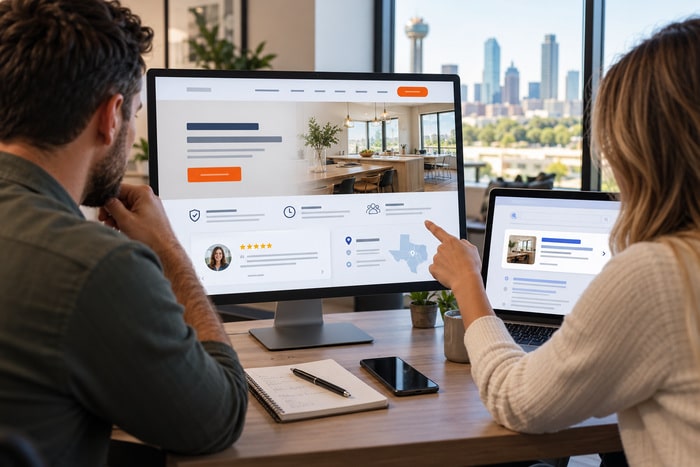
It’s Sunday morning. Your office is closed. Nobody is answering the phone. But somewhere in Dallas–Fort Worth, one of your potential customers is sitting on the couch with a cup of coffee and their phone. And they have questions.
How much does this cost? Do they serve my area? Can they come this week? Are they insured? Do they have good reviews? How does this work? Can they fix my specific problem? Here’s the important part: They’re asking those questions whether you’re available to answer them or not.
At DFW Website Designers, after 17+ years and more than 1,250 websites built, we’ve learned that a great small-business website shouldn’t simply tell people who you are. It should answer the questions standing between a visitor and becoming a customer. Because your website never says: “Sorry, we’re closed.”
Every Unanswered Question Creates Uncertainty
Think about your own buying behavior. Suppose you’re researching a company and can’t determine whether they serve your city. What happens? Maybe you call. But maybe you hit Back and check the next company. You can’t find pricing information. Back. You can’t tell whether they’re licensed or insured. Back. You don’t understand how the service works. Back. You can’t find reviews. Back.
Every unanswered question introduces a little uncertainty. And uncertainty creates friction. We talked about friction earlier this week because it matters: Your competitor may not be better. They may simply be easier to hire. Answering customer questions is one of the easiest ways to make your company easier to choose.
Question #1: “Do You Solve My Problem?”
This is the first question your website needs to answer. Not: “Who are you?” Not: “What’s your mission statement?” The customer wants to know: Can you help me? Imagine someone searches for: Water heater leaking Bedford TX They land on a plumber’s homepage. The headline says:
Providing Excellence Through Unmatched Service Since 1998
Okay. But do you repair water heaters? Compare that with:
Water Heater Repair & Replacement Throughout Bedford and Northeast Tarrant County
Now we know. Better yet, the company has a dedicated Water Heater Repair page explaining: Common problems. Repair versus replacement. Brands serviced. What to expect. Service areas. Frequently asked questions. How to schedule. That’s helpful.
Question #2: “Do You Serve My Area?”
This one is especially important for local businesses. Your customer shouldn’t have to guess. If you serve: Bedford. Euless. Hurst. Grapevine. Colleyville. Southlake. Arlington. Fort Worth. Tell people. Your website can communicate your service area through: Homepage copy. Service pages. Contact information. Location pages. City pages. Footer information. FAQs.
Google also recommends keeping Business Profile information complete and accurate, including details that help customers understand a business’s location or service area. Google Business Profile Local Ranking Guidance Your website and Google presence should tell the same story.
Question #3: “How Much Does It Cost?”
Ah. The question businesses love avoiding. Not every company can publish exact prices. That’s completely understandable. A custom swimming pool isn’t a cheeseburger. Neither is a roof replacement, legal case, commercial construction project or custom website.
But “It depends” doesn’t mean you can’t provide useful information. Explain: What affects the price? Are estimates free? Is there a minimum service charge? Are financing options available? What’s included? What makes one project more expensive than another? If appropriate, provide starting prices or typical ranges. Customers don’t always need an exact number. Sometimes they simply want to know: Am I looking at hundreds, thousands or tens of thousands of dollars? Help them understand.
Question #4: “Can I Trust You?”
Yesterday’s customer may have found you. Today’s customer may understand the service. Now they need confidence. Your website can answer the trust question with: Customer Reviews, Years in Business, Real Team Photos, Licenses, Insurance, Certifications, Professional Associations, Completed Projects, Before-and-After Photos, Case Studies, Awards, Warranties & Clear Contact Information. Don’t simply say:
We’re trustworthy.
Everybody says that. Show the evidence.
Question #5: “What Do Your Customers Say?”
Reviews deserve their own section because customers increasingly use them as part of the buying process. If you have great reviews, don’t make visitors conduct an archaeological expedition to find them. Feature some on your website. Put relevant testimonials near services. Show customer stories. Link visitors to places where they can see additional reviews. And keep earning new ones.
Google specifically encourages businesses to value customer reviews and respond to them because those interactions can help a business stand out. Google Business Profile Review Guidance Your customers are often more persuasive than your marketing department. Use that.
Question #6: “How Does This Work?”
Customers like knowing what happens next. Let’s say you install fences. Your process might be:
1. Request an Estimate
2. Schedule a Property Visit
3. Choose Your Fence
4. Approve the Proposal
5. Schedule Installation
6. Enjoy Your New Fence
That’s simple. Now the customer understands the journey. An attorney might explain:
Consultation → Case Evaluation → Strategy → Representation
A chiropractor might explain:
Schedule → Evaluation → Recommended Treatment → Follow-Up
A website company might explain:
Consultation → Design → Development → Review → Launch
Processes reduce uncertainty. And reducing uncertainty makes it easier to take the first step.
Question #7: “How Long Will It Take?”
Customers want timelines. Again, you may not be able to promise an exact date. But you can explain what’s typical.
Most repairs are completed during the initial visit. Most projects take approximately 2–3 weeks after materials arrive. We’ll typically respond to quote requests within one business day. Emergency appointments may be available the same day.
Whatever is accurate for your business. Don’t make people guess.
Question #8: “Are You Licensed and Insured?”
If licensing or insurance matters in your industry, answer this clearly. Customers may also want to know about: Certifications. Background checks. Manufacturer credentials. Professional memberships. Warranties. Training. Safety programs. Again, don’t hide credibility. If you’ve done the work to earn a qualification that matters to customers, tell them.
Question #9: “Have You Done This Before?”
This is where experience becomes powerful. Don’t simply say: Experienced Professionals. Give people something tangible.
25 Years in Business, 5,000+ Projects Completed, Third-Generation Family Business, Serving DFW Since 1999, Certified Technicians, 1,250+ Websites Built. Specificity creates credibility. And if possible, show the work. Photos. Projects. Case studies. Results. Proof beats adjectives.
Question #10: “What Makes You Different?”
This is tougher than it sounds. Ask ten businesses why customers should choose them and you’ll hear:
Quality. Service. Integrity. Experience. Competitive Pricing. Great. Your competitors just said the same five things. Dig deeper. Maybe you offer: Same-day service. A unique warranty. Specialized expertise. Better communication. A specific process. Long-term employees. Local ownership. A difficult-to-find service. 24-hour support. Transparent pricing. A particular certification. Explain the things that genuinely make the experience different.
Question #11: “What Should I Do Next?”
Don’t forget this one. The customer has read everything. They’re interested. They’re comfortable. Now what? Tell them.
CALL NOW, REQUEST A QUOTE, SCHEDULE AN APPOINTMENT, GET AN ESTIMATE, BOOK A CONSULTATION, VISIT OUR SHOWROOM
Your call to action should be obvious. Remember Wednesday: Don’t make customers work to become customers.
Your FAQ Page Shouldn’t Be an Afterthought
An FAQ page can be one of the most useful sections of a small-business website. Unfortunately, they’re often written at the very end of the project: “Fred, we need six questions for the FAQ page.” Then somebody invents: Q: Do you provide quality service? A: Yes! We pride ourselves on providing quality service! Fantastic. Mystery solved.
Instead, build FAQs from real conversations. Ask your: Salespeople. Receptionists. Technicians. Project managers. Customer-service staff. Owners. What questions do customers ask over and over? Those are your FAQs.
Your Sales Team Is Sitting on an SEO Gold Mine
Here’s where this gets even more valuable. Every repeated customer question can potentially become content. A short question may belong in an FAQ. A bigger question may deserve a section on a service page. A complicated question may deserve an entire blog post.
For example: How long does a water heater last? Blog post. Should I repair or replace my AC? Blog post. How much does a new roof cost in DFW? Blog post. Do I need an attorney for my situation? Blog post. How long does it take to build a website? Blog post. Why isn’t my website showing up on Google? Blog post.
Google’s current guidance encourages creating helpful, reliable, people-first content rather than pages created primarily to manipulate search rankings. Google Search Central: Creating Helpful Content What could be more people-first than answering the questions your actual customers keep asking?
Stop Guessing What to Blog About
Business owners tell us: “I don’t know what to write about.” Yes, you do. You probably heard three potential blog topics yesterday. You just didn’t recognize them as blog topics. Every time a customer asks: “What’s the difference between…” There’s an article. “How much does…” Article. “How long will…” Article. “Do I need…” Article. “Why does…” Article. “What happens if…” Article.
Your customers can practically write your content calendar for you.
One Question Can Become Multiple Pieces of Content
Let’s say you’re an HVAC company and customers constantly ask: “Should I repair or replace my AC?” That one question could become: A detailed blog post. An FAQ answer. A section on the AC Repair page. A social-media post. A short video. An email. A Google Business Profile post. A graphic. That’s efficient marketing. Start with something customers actually care about.
Then use it everywhere.
Good Content Can Prequalify Customers
There’s another advantage to answering questions. Your website can help customers determine whether you’re the right fit. Maybe your minimum project size is $10,000. Maybe you only provide commercial service. Maybe you don’t service certain equipment. Maybe you work within a specific geographic area. Maybe you specialize in certain cases. That’s okay.
A website doesn’t need to generate every lead. It should help generate the right leads. Answering questions can save both you and the customer time.
Your Website Can Make Your Phone Calls Better
Here’s something business owners often overlook. A helpful website doesn’t necessarily reduce phone calls. It can improve them. Instead of:
“Do you guys install roofs?”
the prospect calls saying:
“I read about your roof replacement process and saw your projects. I’d like someone to come give me an estimate.”
That’s a different conversation. The website has already: Educated them. Answered questions. Built trust. Explained the process. Shown proof. Now your team can continue the conversation instead of starting at zero.
Your Website Works Sunday Morning
That’s why I love today’s topic. It’s Sunday. Your employees may be home. Your office may be closed. But your website is still out there. Someone is researching. Someone is comparing. Someone is reading. Someone is deciding. Your website can either say: “Here’s our phone number. Call Monday.”
Or it can say: Here’s what we do. Here’s where we work. Here’s how it works. Here’s what affects the price. Here’s what our customers say. Here’s why you can trust us. Here’s what you should do next. Which one sounds more like a salesperson?
Do the Sunday Question Test
Here’s today’s assignment. Get a piece of paper. Write down the 20 questions customers ask your business most often. Don’t overthink it. Ask your staff if necessary. Now visit your website. For every question, ask: Can I easily find the answer?
Mark: ✓ YES or ❌ NO Every NO is a content opportunity. Maybe you need: A better service page. An FAQ. A new blog post. A pricing explanation. A process section. A city page. A review. A case study. A better call to action. You just created your website improvement list. And probably several weeks of content.
Answer Questions. Build Trust. Get the Lead.
This entire week has really been about one thing: Making your website more useful. Not prettier. Not flashier. More useful. A useful website: Gets found. Explains what you do. Focuses on the customer. Removes friction. Builds trust. Answers questions. And makes taking the next step easy.
At DFW Website Designers, we’ve spent more than 17 years helping businesses throughout Dallas–Fort Worth do exactly that. We’ve built 1,250+ websites, and we believe your website should be doing more than sitting online looking attractive. It should be working. Even Sunday morning. So while you’re enjoying that second cup of coffee, somebody may be visiting your website and asking: “Can these people help me?” Make sure your website answers: “Absolutely. And here’s what you need to know.” Because your customer has questions.
Your website should have answers.