Launching a new website is a major step for any business. You have a clear visual identity, a website that explains your services, and a place where potential customers can learn about your company.
But what happens when you need to launch your next marketing campaign?
You may need social media graphics, email banners, digital ads, landing page visuals, sales presentations, or promotional materials. If every new campaign requires a fresh brief, new designs, repeated approvals, and multiple rounds of revisions, your team may be spending more time recreating assets than using them.
The problem is not always your website or your brand identity. Often, the missing piece is a system that helps you turn your brand into consistent marketing materials you can reuse.
A reusable brand asset system gives you approved design elements, adaptable templates, organized files, and a clear approval process. Instead of starting from a blank page every time, you give your team a reliable starting point for its next campaign.
Here is how you can build that system, keep your marketing consistent, and make better use of the website you have already launched.
What Is a Reusable Brand Asset System?
A reusable brand asset system is an organized collection of approved brand files, marketing templates, design components, and usage guidelines that help you create consistent marketing materials across different channels.
It connects your brand identity to the everyday work of marketing.
For example, your website may already have a defined color palette, typography, button styles, photography, and tone of voice. A reusable asset system helps you apply those same elements to social media posts, email campaigns, paid advertisements, sales decks, and landing pages.
A practical system typically includes:
- Brand assets: Approved logos, colors, fonts, icons, photographs, and illustrations.
- Reusable templates: Starting layouts for recurring campaign materials, such as social posts, email graphics, and digital ads.
- Design components: Reusable elements such as headlines, calls to action, image treatments, and content blocks.
- Brand guidelines: Clear instructions on how to use these elements consistently.
- Approval rules: A defined process for reviewing, updating, and publishing marketing materials.
- Asset organization: A central location where your team can find the latest approved files.
The goal is not to make every campaign look identical. It is to give your team a consistent foundation while leaving room for new ideas.
Why Does Every Marketing Campaign Feel Like a New Project?
If you regularly recreate marketing materials, look beyond the design work itself. The problem may lie in how your team manages creative production.
1. Your brand guidelines explain the rules, but not how to apply them
A brand guide might tell you which fonts, colors, and logos to use. However, it may not explain how those elements should work together in a paid advertisement, an email banner, or a promotional landing page.
Your designer must then make the same decisions repeatedly.
The solution is to turn broad brand guidelines into practical examples. Create approved layouts for common marketing needs and show your team how to adapt them.
2. Your approved assets are difficult to find
Your latest logo might be in one folder, campaign images in another, and the newest presentation template in someone’s personal drive.
When team members cannot find the correct files, they may use outdated versions or recreate assets that already exist.
A central asset library solves this problem by giving everyone one reliable place to find approved materials.
3. Every small design change requires a new approval
If nobody knows who can approve a social graphic or update an email banner, even simple requests can become slow.
Your designer may wait for a marketing manager, who is waiting for a department head, who then requests another round of revisions.
Clear approval rules help you avoid unnecessary delays without removing important quality checks.
4. Your website and campaigns are managed separately
Your website may have a polished visual identity, but your advertising, social media, and email campaigns may look like they belong to different companies.
This often happens when the website project ends without a clear handover of reusable design components and marketing templates.
Your website should be the starting point for a wider visual system, not the only place where your brand looks consistent.
Step 1: Audit the Brand Assets You Already Have
Before creating anything new, review the assets your business already uses.
You do not need to redesign everything or invest in an entirely new brand identity. Start by identifying what works, what is missing, and what needs to be updated.
Review these five areas:
| Area | What to check |
|---|---|
| Brand identity | Current logos, fonts, colors, icons, and visual guidelines |
| Website | Headers, buttons, banners, image styles, and reusable components |
| Campaign materials | Social graphics, advertisements, email banners, and promotional designs |
| Sales materials | Presentations, proposals, one-pagers, and downloadable resources |
| File organization | Duplicate assets, outdated versions, unclear names, and missing approvals |
Next, identify the materials you create most often.
If your team publishes social content every week, social templates may be a priority. If you regularly run paid campaigns, reusable ad layouts may save more time.
Start with the assets you use repeatedly, not the assets that look the most interesting to redesign.
This keeps the project focused on real marketing needs.
Step 2: Turn Your Brand Guidelines Into Reusable Templates
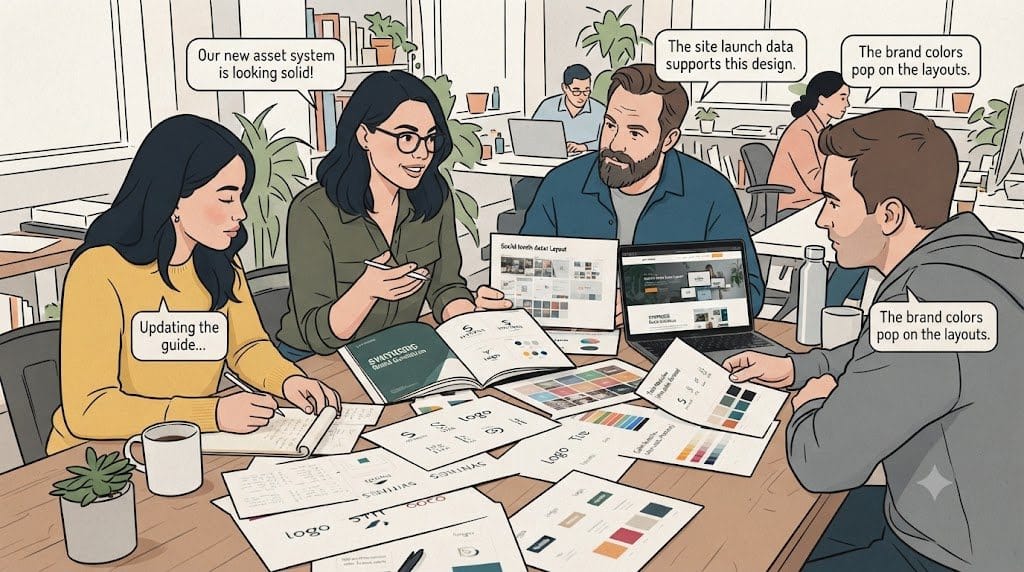
Once you understand your existing assets, identify the marketing materials that follow a similar structure.
These are your best candidates for reusable templates.
For example, a business that runs regular campaigns might create templates for:
- Social media announcements and promotional posts.
- Paid advertising in different sizes and formats.
- Email headers and campaign banners.
- Landing page sections for new offers.
- Sales presentations and service brochures.
- Event promotions and downloadable resources.
Each template should include the elements that need to stay consistent, such as your logo placement, typography, colors, and basic layout.
It should also make the editable elements clear. Your team may need to change the headline, image, offer, or call to action without altering the overall design.
For a seasonal promotion, start with the approved website campaign’s colors, typography, and image treatment. Adapt these into an email banner, a social graphic, and a sales slide. Keep the logo and brand styling fixed, while allowing the headline, image crop and call to action to change for each format. Route changes to the offer, claims, or brand styling back to the appropriate approver.
However, avoid creating a template for every possible situation. Too many templates can make your system harder to manage. Focus on recurring needs first, then expand as you learn what your team actually uses.
Step 3: Create One Reliable Home for Your Brand Assets
Templates are useful only when people can find and use them.
Choose a central location for your approved assets. Depending on the size of your business, this could be a shared cloud drive, a design platform, or a dedicated digital asset management system.
The tool matters less than the process you establish around it.
Organize the library in a way that reflects how your team works. You might use categories such as:
- Brand identity
- Website and landing pages
- Social media
- Paid advertising
- Email marketing
- Sales and presentations
- Events and promotions
Use clear file names so people can understand what each asset is for without opening it.
For example, Spring-Campaign-Instagram-Template-v2 is more useful than Final-Design-New-Updated.
You should also identify which version is approved and archive outdated files. Otherwise, team members may continue using an older template even after you have updated it.
As your business grows, assign someone to maintain the library. That person does not need to create every asset, but they should make sure the system stays organized and current.
Step 4: Define Who Owns Creative Approvals

A reusable brand asset system needs clear ownership.
Without it, your team may have good templates but still struggle to get campaigns approved.
Start by defining who is responsible for each stage of the process.
| Stage | Responsibility |
|---|---|
| Campaign brief | Define the audience, goal, message, and deadline |
| Creative production | Create or adapt the required assets |
| Brand review | Check visual consistency and messaging |
| Final approval | Confirm that the campaign is ready to publish |
| Asset management | Store approved files and update templates when needed |
In a small business, one person may handle several of these responsibilities. In a larger team, the roles may be shared across marketing, design, and leadership.
The important thing is that everyone knows who makes the final decision.
You should also decide which assets require a full review and which can follow a simpler approval process.
For example, a routine social post based on an approved template may need only a quick content check. A major brand campaign or a new landing page may require input from several stakeholders.
This approach protects quality without making every small change a lengthy project.
Step 5: Build a Repeatable Workflow for Every Campaign
Once your templates, files, and approval rules are in place, connect them through a simple workflow.
A repeatable process helps your team understand what happens next and reduces the need to reinvent the process for each campaign.
Here is a practical workflow you can adopt.
1. Define the campaign goal. Decide what you want the campaign to achieve, who it is for, and what action you want people to take.
2. Prepare a clear brief. Include the message, offer, audience, required formats, deadline, and any important restrictions.
3. Check your existing assets. Before requesting new designs, see whether an approved template or component can meet the need.
4. Adapt or create the creative. Reuse existing assets where possible. Create something new when the campaign genuinely requires a different approach.
5. Review the work. Check the message, visual consistency, links, image quality, and technical requirements for each channel.
6. Approve and publish. Make sure the designated owner has signed off before the asset goes live.
7. Store the final files. Add the approved versions to the central library so your team can reuse them in future campaigns.
8. Learn from the process. If the same problem keeps appearing, improve the template, brief, or approval process instead of solving it from scratch every time.
Over time, this workflow can make creative production more predictable and easier to manage.
When you publish campaign pages or supporting content, use descriptive headings and relevant links to help visitors and search engines understand how each page fits into your website. Google’s SEO Starter Guide provides further guidance.
Step 6: Know When External Creative Support Makes Sense
You may be able to manage your brand asset system internally, especially if your marketing needs are limited and your team has the required design skills.
If your website no longer reflects your current brand or services, a website redesign may be needed before using it as the foundation for new campaign templates.
You might be launching campaigns across several channels, updating landing pages, creating sales materials, or adapting designs for different audiences. At the same time, your internal marketing team still needs to manage strategy, reporting, and day-to-day operations.
This is when external creative support can become useful.
You have several options, depending on your workload and budget.
- Freelancers: Useful when you need a specific skill or a clearly defined project.
- Traditional creative agencies: Suitable for projects that require broader strategic input, specialized expertise, or a larger production team.
- Managed creative services: Worth considering when you need ongoing production support and coordinated work across multiple creative disciplines.
For example, Designity is an AI-enabled, human-led Creative-as-a-Service platform. Its dedicated Creative Director leads creative direction and quality across a managed team of specialists. For recurring campaigns, this model can support coordinated production of assets such as social graphics, landing-page visuals, and sales materials, with clients retaining approval.

The right choice depends on how often you need creative work, how much coordination your team can handle, and whether you need one specialist or support across several disciplines.
Before choosing a provider, clarify who owns the creative brief, who reviews the work, how revisions are handled, and where approved assets will be stored. External support should make your process easier to manage, not introduce another disconnected workflow.
Step 7: Measure Whether Your System Is Working
A reusable brand asset system should make your marketing process easier to manage. You can assess its value by tracking a few practical measures.
Creative turnaround time
Measure how long it takes to move from an approved brief to a finished asset. Compare similar projects before and after introducing templates and clearer workflows.
Revision frequency
Track how often an asset needs substantial revisions. Repeated corrections may indicate that your brief, template, or approval process needs improvement.
Template adoption
Look at how often your team uses approved templates instead of creating new assets. If people regularly bypass the system, find out why. The templates may be difficult to locate, too restrictive, or unsuitable for the work.
Brand consistency
Review a sample of your website pages, advertisements, social posts, emails, and sales materials. Check whether they use the correct logos, colors, typography, messaging, and visual style.
Asset reuse
Track whether approved components and campaign materials are being reused across channels. Reuse is useful when it reduces unnecessary work without making campaigns feel repetitive.
You do not need an elaborate dashboard to begin. A simple spreadsheet with a few baseline measures can help you understand where the process is improving and where problems remain.
Remember that speed is not the only goal. Your system should help you produce consistent, useful marketing materials without sacrificing quality or the needs of each campaign.
A Practical Checklist for Building Your Brand Asset System
Use this checklist to identify what you have already established and what still needs attention.
- Audit your current brand assets and remove outdated versions.
- Identify the marketing materials your team creates most often.
- Create reusable templates for recurring campaign needs.
- Document which template elements can be changed and which should stay fixed.
- Store approved assets in one central location.
- Assign an owner to maintain the library.
- Define who creates, reviews, and approves campaign materials.
- Establish a repeatable campaign workflow.
- Decide when to reuse an asset and when to create something new.
- Measure turnaround time, revision frequency, and template adoption.
- Review the system regularly as your business and marketing needs change.
You do not need to complete every item at once. Start with the most common bottleneck and build from there.
Frequently Asked Questions
What is a brand asset system?
A brand asset system is an organized collection of approved brand files, reusable templates, design components, and usage guidelines. It helps your team create consistent marketing materials without rebuilding the same elements for every campaign.
How is a brand asset system different from brand guidelines?
Brand guidelines explain how your brand should look and sound. A brand asset system makes those guidelines practical by providing approved files, reusable templates, organized resources, and clear rules for creating and approving marketing materials.
What brand assets should you create first?
Start with the assets your team uses most frequently. These might include social media templates, email banners, advertising layouts, landing page components, and presentation templates. Prioritize recurring needs before creating less frequently used materials.
How can you maintain brand consistency across marketing channels?
Use approved brand assets, reusable templates, consistent messaging, and a central file library. Assign clear approval ownership and review materials across your website, social media, email campaigns, advertisements, and sales resources.