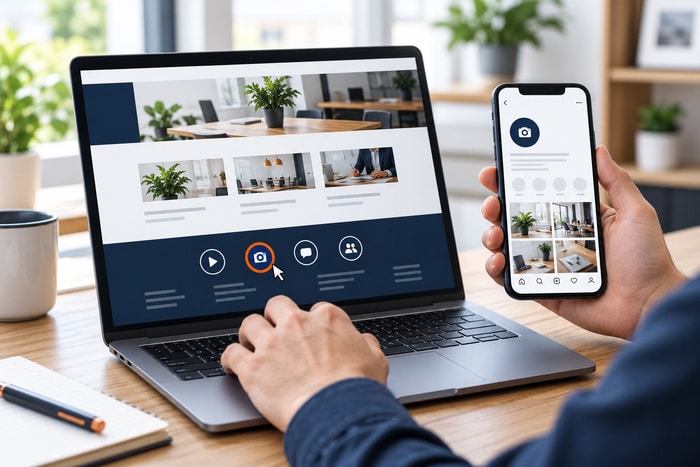
A potential customer finds your website while sitting in a parking lot, standing at a job site, or comparing several local companies from the couch. The customer has a question and is ready to call. Your phone number is on the page. It looks correct. But when the customer taps it, nothing happens.
Now the visitor has to remember the number, switch apps, open the phone keypad, and type it correctly. That is not an impossible task. It is simply more work than the competing website that opens the dialer with one tap. A phone number should do more than appear on a mobile website. It should help a visitor take the next step.
Here is a quick audit almost any business owner can perform.
What Is a Click-to-Call Phone Number?
A click-to-call phone number is a website link that opens a device’s calling interface with the number already entered. The underlying link commonly uses the tel: URI scheme.
For example, the visible text might be: (817) 247-6003 The link behind it might use: tel:+18172476003
The Internet Engineering Task Force defines the tel URI for resources identified by telephone numbers. In practical terms, it gives browsers and devices a standardized way to recognize a telephone destination: RFC 3966: The tel URI for Telephone Numbers. Tapping the link should present the visitor with an option to place the call. It should not secretly dial without the visitor’s confirmation.
The Five-Minute Mobile Phone Number Test
Do not inspect the site only from your office computer. Use the device your customers are likely to use.
1. Open the Website on Your Phone
Test the live website, not a screenshot or design proof. Check both Wi-Fi and cellular service if practical.
2. Find Every Visible Phone Number
Look in the places where a phone number commonly appears:
- Announcement bar or top strip
- Website header
- Mobile menu
- Homepage call-to-action section
- Service pages
- Location pages
- Contact page
- Footer
- Popups or sticky mobile buttons
- Blog post call-to-action sections
3. Tap Each Number
Confirm that the phone interface opens and displays the correct number. Cancel the call unless you also want to test how your business answers.
4. Place One Real Test Call
Choose a reasonable time and complete one test call from a number your team does not immediately recognize. Listen to the full experience: Does the correct phone ring? Is the business name announced correctly? Does someone answer during published business hours? Does the voicemail identify the right company? Is the mailbox accepting messages? Are menu options current and understandable?
5. Repeat the Test on a Second Device
If possible, test on both an iPhone and an Android phone. A link can behave differently depending on the browser, device, installed calling apps, and website code.
Seven Problems This Test Can Reveal
1. The Number Is Plain Text
The phone number looks normal but has no telephone link behind it. Some devices may automatically recognize it, but a business should not depend on every browser to guess correctly.
2. The Link Calls the Wrong Number
The visible number may have been updated while the hidden destination was not. A visitor sees the new number but taps a link that still points to the old one.
3. Different Pages Show Different Numbers
The homepage, footer, contact page, and old blog templates may not agree. This often happens after a move, phone-system change, redesign, or marketing campaign.
4. The Number Is Hard to Tap
A tiny text link wedged between other links can be frustrating on a small screen. Visitors may open the wrong page or give up after several attempts.
5. The Call Button Is Hidden
A large hero image, cookie notice, chat widget, popup, or mobile menu can cover the call button. The feature technically exists but is not practically available.
6. The Destination No Longer Fits the Business
The link works, but the call goes to a former employee, a discontinued department, an unattended desk phone, or an after-hours line with no useful message.
7. The Website Counts a Tap as a Completed Call
A visitor can tap a number and then cancel before calling. That means a website click is not necessarily a connected conversation. Reporting should distinguish between a tap, an attempted call, and a qualified lead whenever the tools allow it.
Where Should the Phone Number Appear?
There is no universal requirement to place the same giant call button on every screen. The right placement depends on how visitors use the site and how the business wants to receive inquiries.
For many local service businesses, useful placements include: A clear phone number near the top of the desktop site, A tap-friendly option in the mobile header or menu, A call action near high-intent service information, A complete phone number on the contact page & A consistent contact option in the footer. The goal is not to repeat the number until it becomes visual clutter. The goal is to make it available when a visitor is ready to act.
Use Clear Text, Not Only a Phone Icon
A phone handset icon is familiar, but an icon alone can create uncertainty. Does it start a call, open a contact page, or launch a chat app?
Whenever space allows, pair the icon with useful text such as:
- Call (817) 247-6003
- Call for a Quote
- Speak With Our Team
- Call During Business Hours
Clear wording helps visitors understand what will happen before they tap.
The Number Should Match the Customer’s Intent
One business may have several legitimate phone destinations: New sales, Existing-customer support, Billing, Emergency service & Individual locations. If every call goes to the same number, keep the experience consistent. If calls need different destinations, label each option clearly. Do not make a customer guess which department a number reaches.
Location pages deserve special attention. A visitor looking at a Dallas, Fort Worth, or Bedford location should not accidentally call a closed office or an unrelated branch.
Test the Experience Outside Business Hours
A website works when the office is closed, so the phone experience should still provide a useful next step. Check what callers hear after hours: Correct company name, Current operating hours, Clear instructions for leaving a message, Emergency guidance, if applicable, Alternative ways to contact the business & A mailbox that is not full.
If the voicemail tells callers to visit the website, make sure the website does not immediately tell them only to call. That circular experience leaves the customer stranded.
Be Careful With Call-Tracking Numbers
Call tracking can help a business understand which campaigns or pages generate phone activity. It can also create confusion when it is implemented carelessly.
Before adding or changing tracking numbers, confirm: Which visitors should see the tracking number. Where the original business number remains available. Whether the tracking number forwards reliably. How missed and after-hours calls are handled. Whether recorded-call notices are required for the business and location. What happens if the tracking service is canceled. Who owns and controls the tracking account. Do not replace phone numbers across a website without a documented plan. A temporary marketing number should not become an unexplained permanent dependency.
Make the Link Useful for More People
The visible wording around a phone link matters. A screen reader user benefits from descriptive text, and every visitor benefits from knowing which number or department the link reaches.
A useful phone link should: Display the number or explain the destination. Use readable contrast and type size. Have enough space to tap without hitting nearby controls. Show a visible focus indicator for keyboard users. Avoid vague labels repeated without context. The same contact path should be understandable whether someone sees the page, hears it through assistive technology, or navigates without a mouse.
What to Send Your Web Team
If you find a problem, a short report can save time. Include: The page address where the issue appears. A screenshot of the phone number or button. The visible number. The number that appears after tapping. The phone and browser used for the test. Whether the issue happens every time. The correct destination number.
Avoid sending only “the phone button is broken.” Specific details help the developer reproduce and fix the problem.
A Monthly Phone-Link Checklist
Add this quick review to the website’s regular maintenance routine:
- Every visible phone number is current
- Every intended number can be tapped on mobile
- The visible number matches the link destination
- Mobile buttons are easy to see and tap
- No popup or widget covers the call action
- Department and location labels are accurate
- One completed test call reaches the correct team
- Voicemail and after-hours messages are current
- Tracking reports do not treat every tap as a completed call
- Someone is responsible for future phone-number changes
One Tap Should Lead to the Right Conversation
Small website problems rarely announce themselves. The phone number still appears. The button still looks polished. The page still loads. The problem becomes visible only when a potential customer tries to call.
Open your website on a phone today and tap every number you find. Confirm that the right interface opens, the right number appears, and the right person or message answers. It is a simple test, but it protects one of the most valuable paths on a local business website: the path from interest to conversation.
DFW Website Designers helps Dallas–Fort Worth businesses improve mobile usability, repair contact paths, and make websites easier for customers to use. If your phone links, forms, or calls to action need a practical review, contact our team.