If your small web team still runs Jenkins, you know the routine. A plugin update breaks a job, builds pile up in a queue and someone loses an afternoon to the server instead of the site.
For a team of two to ten people shipping WordPress themes, static sites or Next.js front ends, that drag adds up fast. Managed continuous integration services start machines on demand, cache dependencies and run jobs side by side, so feedback on a pull request arrives in minutes rather than hours.
This guide compares Jenkins alternatives through one lens: how quickly and cleanly each one turns a code change into a tested, deployable build. All prices are in U.S. dollars and plan limits change often, so confirm current terms before you budget.
Key Takeaways
- Faster CI usually comes from three things: jobs that run in parallel, cached dependencies and clean machines that start on demand.
- Your code host’s built-in CI is often the shortest migration, but check how many jobs it can run at once.
- Managed CI swaps a server you patch for a YAML file you keep in the repository.
- Build minutes are only part of the cost. Queue time and reruns eat into your team’s day too.
- Keeping Jenkins still makes sense when on-premises rules or internal integrations demand it.
Where Slow CI Costs a Small Web Team
On a self-managed server, the delays rarely come from the build itself. They come from builds waiting behind each other, dependencies downloaded from scratch on every run and flaky tests that force reruns.
Then there is the upkeep. Plugin updates, Java upgrades, disk space and security patches all land on whoever knows the server best, usually the same person who should be shipping client work.
When you compare replacements, look at the features that shorten the loop from commit to deploy:
- Concurrency. How many jobs run at once before new ones queue.
- Caching. Whether packages and build outputs carry over between runs.
- Clean, on-demand machines. Fresh environments avoid the leftover-state bugs that make builds flaky.
- Config as code. A YAML file in the repo is easier to review and reuse than a hand-edited server job.
- Safe secrets and previews. Protected credentials and staging builds keep speed from turning into risk.
Quick Chooser: Match the Tool to Your Setup
Use this table to build a shortlist, then time a real build on your top two picks.
|
If your situation is |
Start with |
Main speed lever |
Watch out for |
|
You want fast managed CI with no server |
Semaphore |
20 concurrent jobs by default plus per-project caching |
Check deploy examples for your hosts |
|
Code lives on GitHub |
GitHub Actions |
Matrix jobs and caching beside your pull requests |
Allowances vary by plan and runner |
|
Code lives on GitLab |
GitLab CI/CD |
Job dependencies that skip stage waits |
400 Free compute minutes go fast |
Three Jenkins Alternatives for Faster CI
Each of these runs builds on the provider’s machines, so nobody on your team patches a build server. You still own the workflow file, dependencies, permissions and deploy steps.
1. Semaphore
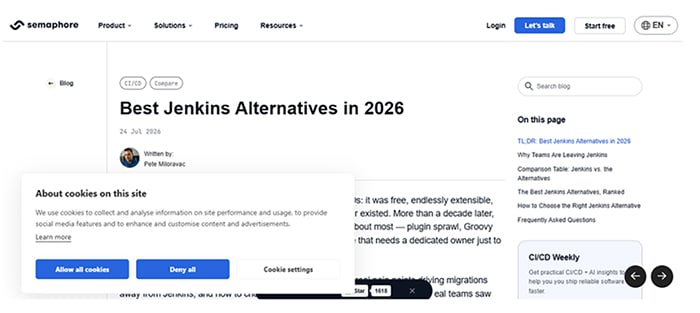
This managed CI/CD service connects to your existing code host and replaces Groovy scripts with YAML pipelines. Teams get custom workflows without a build server to maintain.
Speed. Accounts include 20 concurrent jobs by default and each project gets 9.6 GB of cache storage. Every job runs in a clean, isolated environment. After moving off Jenkins, Confluent cut build times from 7.5 hours to 2.5 hours, according to Semaphore‘s rundown of Jenkins alternatives.
Included usage. Listed rates are $0.0075 per minute for two-vCPU Linux and $0.003 for two-vCPU ARM. A $15 monthly credit covers roughly 2,000 Linux minutes.
Tradeoff. Check deploy examples for your hosts. Teams needing their own hardware can run the open-source Community Edition.
2. GitHub Actions
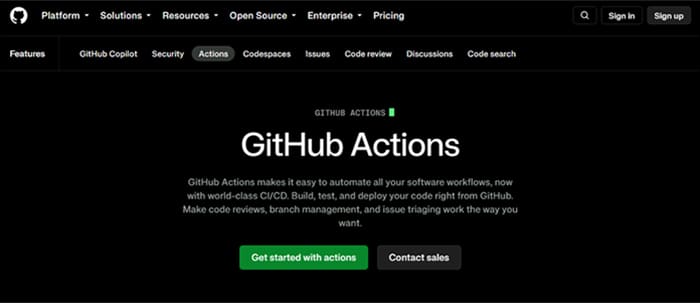
Actions keeps workflow files next to your code and posts results on every pull request. A typical website workflow checks out the code, restores cached packages, runs tests and a build, then deploys.
Speed. Matrix builds run one job across several versions at once, and caching skips repeat package downloads. Pin third-party actions to an exact commit rather than a moving version tag.
Included usage. Listed monthly allowances are 2,000 minutes on Free, 3,000 on Pro and Team and 50,000 on Enterprise Cloud. Runner type and repository visibility affect billing.
Tradeoff. Hosted runners are shared, so plan how you would deploy during an outage.
3. GitLab CI/CD
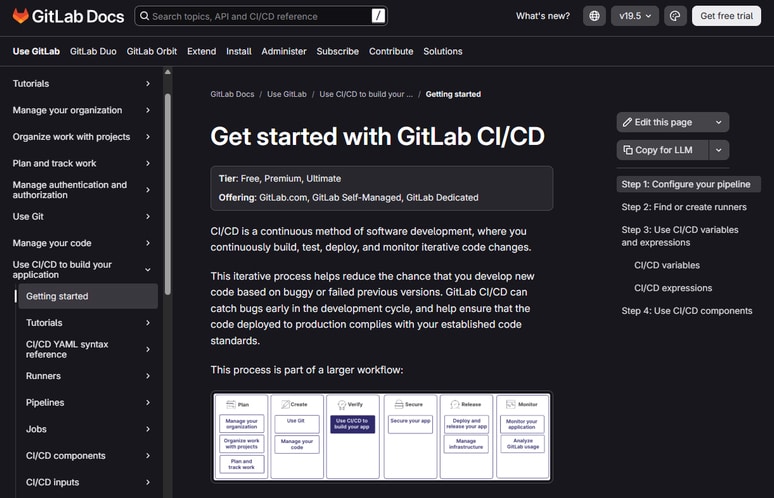
GitLab puts repositories, issues and pipelines in one platform, which keeps access management simple. Its YAML configuration will feel familiar after any other managed CI service.
Speed. Jobs in the same stage run in parallel, and the “needs” keyword lets a job start as soon as its dependencies finish. Caches carry packages between pipeline runs.
Included usage. Listed monthly compute is 400 minutes on Free, 10,000 on Premium and 50,000 on Ultimate. Extra compute is listed at $10 per 1,000 minutes.
Tradeoff. Moving repositories and accounts adds work if your code lives elsewhere.
When to Keep Jenkins
Keep your current setup if a policy requires on-premises builds, an internal integration has no practical replacement or migration would cost more time than it saves. A documented installation with a clear owner is still a reasonable choice.
If you stay, track installed plugins, test upgrades before they hit production and back up job configurations. A steady patch management routine keeps plugin security advisories from piling up, and each pipeline’s credentials should be limited to the systems it actually needs.
Moving From Jenkins in Five Steps
Migrate one representative site first. A fast build is only half the test; the new workflow also has to deploy safely and roll back cleanly.
- Inventory your jobs. Record each trigger, build command, environment, credential and deploy target. Drop unused jobs instead of recreating them.
- Map steps to YAML. Start from the provider’s example for your stack, then add caching and your tests. Keep the first version simple.
- Move secrets deliberately. Rotate credentials as you add them to protected settings and check that logs never print them.
- Match the environment. Use the same Node.js, PHP and package-manager versions as before. Save upgrades for after the cutover.
- Cut over one site at a time. Never let both pipelines deploy to production. Compare build times, then switch the production trigger once rollback is tested.
Conclusion
The right Jenkins alternative is the one that gets a tested build back to your team fastest without adding a new chore. For most small web teams, that means more jobs running at once, warm caches and no server to babysit.
Pick one low-risk site, time its builds on two candidates and check that rollback works. The numbers from that trial will tell you more than any feature list.
FAQ
What makes one CI tool faster than another?
Mostly concurrency, caching and how quickly a clean machine starts. Time the same representative build on your top two options rather than relying on published benchmarks alone.
Do I need a CI service if my site deploys from Vercel or Netlify?
Not always. Repository-connected hosting covers builds and previews for many static and front-end sites, though custom tests or server deploys may still need a pipeline.
How long does a Jenkins migration take?
It depends on how many jobs you run and how custom they are. Starting with one low-risk site shows the real effort before you move client projects.
Is there a self-hosted option that avoids Jenkins plugins?
Yes. GitLab offers a self-managed edition, and some managed CI services also publish open-source editions you can run on your own hardware.