Getting more traffic to your website sounds great. More visitors. More page views. More clicks. Bigger numbers in Google Analytics. It feels like progress. But here’s the question that matters: What are those visitors actually doing? If 1,000 people visit your website and nobody calls, requests a quote, schedules an appointment, fills out a form, or becomes a customer, all that traffic isn’t doing much for your business.
At DFW Website Designers, we’ve built more than 1,250 websites over 17+ years, and we believe a business website needs to accomplish more than attracting visitors. It needs to help turn those visitors into customers. Because traffic doesn’t pay the bills. Customers do.
Getting Found Is Only Step One
We talk a lot about SEO. And for good reason. If potential customers can’t find your business online, you’re missing opportunities. SEO, city pages, service pages, blogging, Google Business Profile optimization, and other digital marketing efforts can all help businesses increase their online visibility.
But getting someone to your website is only the beginning. Think of it like owning a retail store. You could have 1,000 people walk through the front door every Saturday. Sounds fantastic. But what if every single person walks around for 30 seconds and leaves without buying anything?
Eventually, you’d stop celebrating foot traffic and start asking: Why aren’t these people becoming customers? Your website deserves the same scrutiny.
Your Website Needs a Job
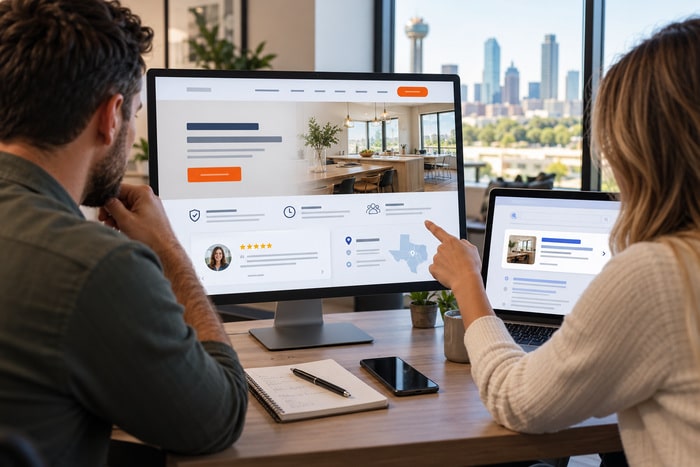
Every business website should have a primary objective. For many small businesses, that objective is generating leads. That might mean getting visitors to call your business, request a quote, schedule an appointment, submit a contact form, visit your location, request a consultation, ask for more information, and purchase a product or service. The exact action depends on your business. But there should be an action. A website shouldn’t simply say: “Here’s our company. Thanks for stopping by.” It should guide the visitor toward: “Here’s how we can help you. Here’s why you should trust us. Here’s what to do next.” That’s a website built around conversion.
Make It Obvious What You Do
Before someone can become a customer, they need to understand your business. Quickly. A visitor shouldn’t have to read four paragraphs to figure out whether you provide the service they’re looking for. Your homepage should make the basics clear: What do you do? Who do you help? Where do you provide service? Why should someone choose you? What should they do next? Clarity beats cleverness. Every time.
You might love a headline like: “Building Tomorrow’s Possibilities Today.” Wonderful. But what do you actually do? Compare that with: Commercial Electrical Contractor Serving Dallas–Fort Worth Not nearly as poetic. But I know immediately whether I’m in the right place.
Give Visitors a Clear Call to Action
One of the easiest ways to improve a business website is to make the next step obvious. If you want someone to request an estimate, say: REQUEST AN ESTIMATE If you want them to call: CALL NOW If you want them to schedule: SCHEDULE AN APPOINTMENT Don’t get overly creative. Buttons aren’t the place for mystery.
Your call to action should appear naturally throughout the website—not just once at the very bottom of the Contact page. When a visitor decides they’re ready, make it easy for them to act.
Make Your Phone Number Easy to Find
This one drives me crazy. I visit a local business website. I want to call them. And suddenly I’m participating in an online scavenger hunt. Is the phone number under Contact? Maybe. Footer? Nope. About Us? Why would it be there? Oh, there’s a hamburger menu… Found it!
Your customers shouldn’t have to work that hard. For many service businesses, the phone call is one of the most valuable actions a website visitor can take. Put your phone number where people can see it. And on mobile? Make it clickable. One tap. Phone rings. That’s how it should work.
Your Contact Form Should Be Simple
The same principle applies to contact forms. Businesses sometimes ask for way too much information. Name. Email. Phone. Address. City. ZIP code. Service needed. Budget. Preferred contact method. How did you hear about us? Mother’s maiden name. Favorite Beatle. Blood type. Okay, maybe not those last three. But some contact forms aren’t far off.
Every additional field creates another opportunity for someone to decide: “I’ll do this later.” And “later” often means never. Ask for the information you genuinely need to begin the conversation. You can collect the rest after you’ve made contact.
Trust Is Part of Conversion
A visitor may understand what you do and still not contact you. Why? They don’t trust you yet. Remember what your potential customer may be doing. They’ve searched Google. They’ve opened several websites. They’re comparing companies they’ve never worked with before.
They’re asking: Who looks legitimate? Who seems experienced? Who has good reviews? Who has done this before? Who do I feel comfortable calling? Your website should help answer those questions.
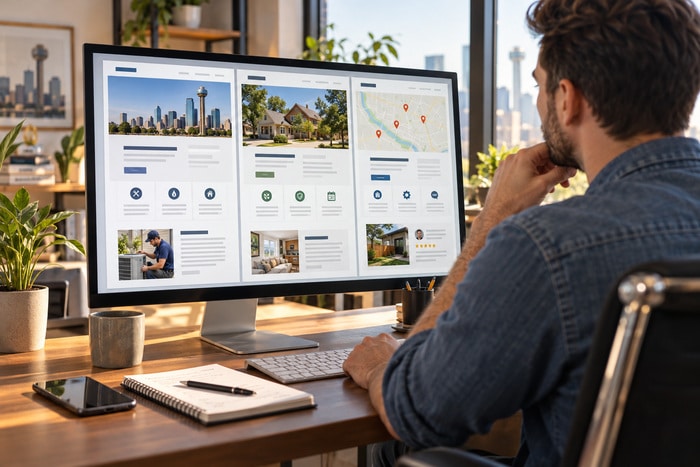
Strong trust signals might include: Customer reviews. Testimonials. Years in business. Certifications. Licenses. Awards. Professional associations. Project photos. Before-and-after photos. Team photos. Case studies. Guarantees. Service-area experience. Don’t just tell people you’re trustworthy. Give them reasons to believe it.
Strong Service Pages Help Visitors Make Decisions
Imagine someone searches for: “tankless water heater installation Grapevine TX.” They land on your website. Your plumbing company offers tankless water heaters—but the only mention is one bullet point buried on a giant Services page. That’s not ideal.
Your major services deserve room to breathe. A dedicated service page can explain: What the service is. Who needs it. Problems it solves. How your process works. Common customer questions. Why your company is qualified. What areas you serve. How to request an estimate. That’s useful for search visibility. But it’s also incredibly useful for conversion. The visitor came looking for something specific. Give them a page specifically about it.
Answer Objections Before the Customer Calls
Yesterday, we talked about answering customer questions on your website. That strategy also helps conversion. Customers often hesitate because they have unanswered questions. How much will this cost? How long will it take? Do you serve my city? Are you licensed? Do you offer financing? What happens after I contact you? Do you guarantee the work? Every unanswered question can become a reason to leave.
You don’t have to answer every possible question on every page. But your website should address the biggest obstacles standing between a visitor and contacting your business.
Mobile Conversion Matters
Now take everything we’ve discussed and shrink it down to a phone. That’s how many customers experience your website. They aren’t sitting at a desk with a giant monitor. They’re standing in their kitchen with a leaking pipe. Sitting in a parking lot. Waiting to pick up their kids. Walking around their backyard. Watching television. And they’re using one hand.
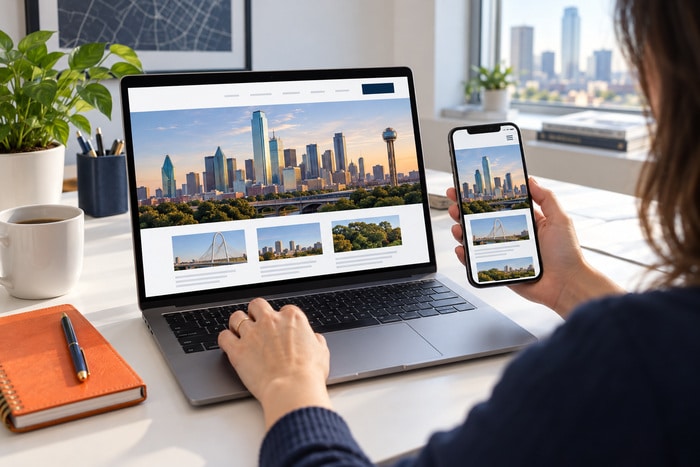
Your mobile website needs to make things ridiculously easy. Can they understand what you do? Can they navigate? Can they tap the phone number? Can they request a quote? Can they complete the form? Can they read the reviews? Can they find your services? If not, you may be losing potential customers simply because the mobile experience creates too much friction.
Track Leads, Not Just Traffic
Business owners love traffic reports. “We had 2,000 visitors this month!” Great. How many became leads? That’s where the conversation gets more interesting. Suppose Website A gets: 2,000 visitors and 20 leads. Website B gets: 1,000 visitors and 50 leads.
Which website would you rather own? Website B has half the traffic but generates two-and-a-half times as many leads. Traffic alone doesn’t tell you whether your website is successful. You need to look at the actions that matter to your business. Google’s measurement tools allow businesses to track important conversion actions such as phone calls, form submissions, purchases, and other meaningful website events. The specific numbers matter less than understanding this principle: Measure what moves the business forward.
Not All Website Traffic Is Equal
There’s another wrinkle. More traffic isn’t necessarily better traffic. Imagine DFW Website Designers suddenly ranked #1 for: “How to bake chocolate chip cookies.” We’d get tons of traffic. It would be completely useless. Unless we decided to make a dramatic career change. The goal isn’t simply attracting people. It’s attracting potential customers.
That means your SEO and content strategy should focus on searches relevant to the services you actually want to sell. I’d rather have 100 visitors looking for: “website designer DFW” than 10,000 people looking for something we don’t provide. Qualified traffic matters.
Don’t Chase Vanity Metrics
Digital marketing gives us access to an enormous amount of data. Visitors. Sessions. Page views. Impressions. Clicks. Engagement. Followers. Reach. Rankings. Some of those metrics are extremely useful. But they can also distract business owners from the metrics closest to revenue.
Ask yourself: How many calls did we get? How many forms were submitted? How many appointments were scheduled? How many quotes did we provide? How many leads became customers? Now we’re talking about business.
Conversion Isn’t About Tricks
When people hear “conversion optimization,” they sometimes imagine manipulative popups, countdown timers, flashing buttons, and: BUY NOW!!! That’s not what we’re talking about. Good conversion design is mostly about removing friction. Make things clearer. Make things easier. Answer questions. Build trust. Show proof. Provide obvious next steps.
Help visitors accomplish what they came to your website to do. Google’s own guidance on creating helpful content emphasizes building content for people first rather than designing pages primarily to manipulate search performance. That’s a philosophy we agree with. Build a better experience for the customer. The conversions should follow.
Do the 10-Minute Conversion Test
Here’s today’s exercise. Pull up your website on your phone. Pretend you’ve never heard of your company. Give yourself 10 minutes and answer these questions: Can I immediately tell what this company does? Can I tell where they provide service? Can I easily find their phone number? Can I request a quote without hunting? Do I see customer reviews? Do I understand why I should choose them? Can I find detailed information about the service I need? Does the company look legitimate and established? Does the website work well on my phone?
And finally: Would I contact this company? That last question is the big one.
Don’t Just Get Clicks. Get Customers.
SEO matters. Traffic matters. Rankings matter. Content matters. But they’re pieces of a larger goal. For most small businesses, the ultimate objective isn’t winning a website traffic contest. It’s growing the business.
At DFW Website Designers, we build websites around that goal. We’ve spent 17+ years helping businesses throughout Dallas–Fort Worth and beyond create professional websites designed to get found, build trust, generate leads, and make it easier for potential customers to take the next step. With 1,250+ websites built, we’ve learned something pretty simple: 1,000 website visitors don’t pay the bills. Customers do. So don’t just build a website that gets traffic. Build a website that works.