Think back to when your current website was built. What did your business look like then? Maybe you had fewer employees. Maybe you offered fewer services. Maybe you served only a handful of cities. Maybe your branding was different. Maybe you were just happy to finally have a website and get the thing online.
Now fast-forward five or ten years. Your business has grown. You’ve gained experience. You’ve added customers. You’ve improved your services. You’ve collected great reviews. You’ve completed hundreds of projects. Maybe you’ve added employees, locations, equipment, products, or entire divisions.
But there’s one problem. Your website still looks like the company you were five years ago. At DFW Website Designers, we’ve built more than 1,250 websites over the past 17+ years, and we see this all the time. Great businesses outgrow their websites. And sometimes the answer isn’t changing the business. It’s changing the website.
Your Website Is Often Your First Impression
Imagine meeting a potential customer for the first time. You probably wouldn’t wear a shirt with your old logo. You wouldn’t hand them a business card with the wrong phone number. You wouldn’t show them photos of projects you completed eight years ago while ignoring everything you’ve accomplished since. Yet businesses do the online equivalent every day.
Potential customers find an old website that no longer accurately represents the company behind it. That’s a problem because your website may be the first real interaction someone has with your business. Before they call. Before they email. Before they visit. Before they meet your team. They meet your website.
How Do You Know When It’s Time for a Redesign?
Not every website needs to be redesigned every year. But websites aren’t meant to last forever without changes either. Here are some signs that yours may be ready for an upgrade.
1. Your Website Is More Than Five Years Old
Five years on the internet is a long time. Think about how much phones, browsers, search engines, screen sizes, design trends, customer behavior, and technology change during that period. A website that looked fantastic when it launched can gradually begin to feel dated.
And here’s the tricky part: You may not notice it. You see your website all the time. A potential customer sees it for the first time—and then immediately compares it with your competitors.
2. Your Website Doesn’t Look Great on a Phone
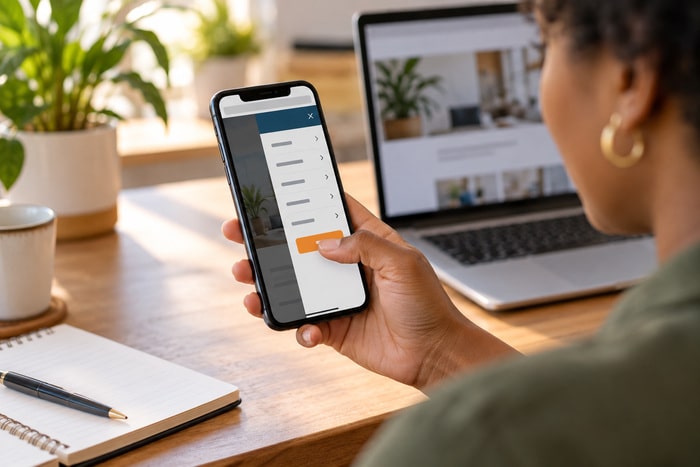
This is one of the easiest tests. Pull out your phone and visit your website. Don’t evaluate it as the business owner. Pretend you’re a customer. Can you easily read everything? Is the navigation simple? Are buttons easy to tap? Can you find the phone number? Can you complete the contact form? Can you quickly understand what the company does?
If using your website on a phone feels like work, that’s a problem. Today’s customers shouldn’t have to pinch, zoom, scroll sideways, or hunt around to do business with you.
3. Your Services Have Changed
Businesses evolve. Maybe you started with three services and now offer twelve. Maybe you’ve stopped providing certain services. Maybe one small service has become your most profitable division. Maybe you’ve expanded into new cities. Maybe you’re targeting commercial customers instead of residential customers. Your website should reflect the business you’re trying to grow today, not simply document the company you used to be. This is also where redesigning can become more than a cosmetic project.
A redesign gives you the opportunity to reconsider your entire website structure: Which services deserve their own pages? Which markets are most important? Which calls to action should be emphasized? Which content no longer belongs? That’s strategy—not decoration.
4. Your Website Looks Outdated
This can be uncomfortable to admit. You may love your website because you remember how exciting it was when it launched. Your customers don’t have that emotional attachment. They’re comparing it with everything else they see online.
An outdated website may have:
- Tiny text
- Narrow page layouts
- Old photography
- Cluttered navigation
- Too much text
- Weak calls to action
- Outdated graphics
- Poor spacing
- Old branding
- Desktop-first design
- Pages that don’t match each other
None of those things necessarily mean your company is outdated. But your customer doesn’t know that. Presentation influences perception.
5. Your Website Isn’t Generating Leads
This is the big one. Your website can look nice and still not do its job. A business website should help move visitors toward action. That might mean: Calling your office. Requesting an estimate. Scheduling an appointment. Submitting a contact form. Visiting your location. Purchasing a product. Requesting more information.
Modern websites can also be measured around these actions. Google, for example, treats actions such as website sign-ups, page interactions, purchases, and phone-number clicks as measurable conversions. If you’re getting website traffic but very few customers are taking the next step, the problem may not simply be getting more traffic. The website itself may need to do a better job converting the traffic you already have.
A Redesign Is More Than New Colors
When business owners hear “website redesign,” they sometimes picture changing the colors, adding a giant new photo, and making everything prettier. That’s part of it. But a good redesign should go much deeper. We should be asking: Is the navigation logical? Are the most profitable services easy to find? Is the messaging clear? Does every important page have a call to action? Is the site easy to use on mobile? Are we showcasing reviews and credibility? Does the content reflect what customers actually search for? Can we measure important customer actions?
That’s how you turn a redesign from a cosmetic expense into a business investment.
Don’t Forget SEO During a Redesign
This is important. A website redesign shouldn’t mean throwing away everything the old website has earned. Existing URLs may have backlinks. Pages may already appear in search results. Google may already understand the structure and content of the website.
If URLs change during a redesign, redirects and migration planning matter. Google’s current guidance recommends mapping old URLs to their new locations, using permanent server-side redirects when possible, updating internal links and sitemaps, and monitoring the transition through Search Console. Google also notes that significant site changes can temporarily cause ranking fluctuations while pages are recrawled and reindexed.
In other words: Don’t redesign a website by bulldozing it and hoping Google figures everything out. Plan the transition.
Your New Website Should Tell Your Current Story
One of my favorite parts of redesigning an established company’s website is discovering how much better the business has become since the old site was created. Maybe the old website says: “Serving DFW for 10 years.” Now it’s 17. Maybe it shows six customer reviews. Now you have 150. Maybe it features three projects. Now you’ve completed hundreds.
Maybe it says you serve Bedford. Now you serve the entire Metroplex. Maybe your old website looks like a tiny operation. Today you have a full team. That’s the story the new website should tell.
Show Customers Why They Should Choose You
A redesigned website should answer the customer’s biggest question: Why you? Not with vague statements like: “We provide quality service at affordable prices.” Every competitor says that. Show people.
Use: Real customer reviews. Project photos. Before-and-after images. Years of experience. Team photos. Certifications. Awards. Associations. Guarantees. Case studies. Service-area expertise. Give customers reasons to believe you’re the right company.
Make the Next Step Obvious
After a visitor decides they like your company, don’t make them figure out what happens next. Tell them. Call Today. Request a Quote. Schedule an Appointment. Get Started. Contact Us. And make those actions easy to find. Your website shouldn’t feel like a scavenger hunt where the grand prize is discovering your phone number.
Same Great Business. Better First Impression.
Here’s the best part about a website redesign: You don’t need to reinvent your company. The hard part may already be done. You’ve built the reputation. You’ve developed the expertise. You’ve served the customers. You’ve hired the team. You’ve earned the reviews. You’ve grown the business. Now your online presence needs to catch up. That’s why today’s message is: Same great business. Better first impression.
Maybe You Don’t Need a New Business. You Just Need a New Website.
It’s Monday. Business owners love Mondays because they give us another chance to look at what’s working—and what’s been sitting on the list for way too long. Take five minutes today and look at your website. Then look at three of your competitors. Be objective.
Which company would you call?
If the answer makes you uncomfortable, that’s useful information. At DFW Website Designers, we’ve spent more than 17 years helping businesses throughout Dallas–Fort Worth and beyond create websites that better represent who they are and where they’re going. We’ve built 1,250+ websites, from completely new websites to redesigns for established businesses whose online presence simply hasn’t kept up with their success. Your business has grown. Maybe it’s time your website did too.